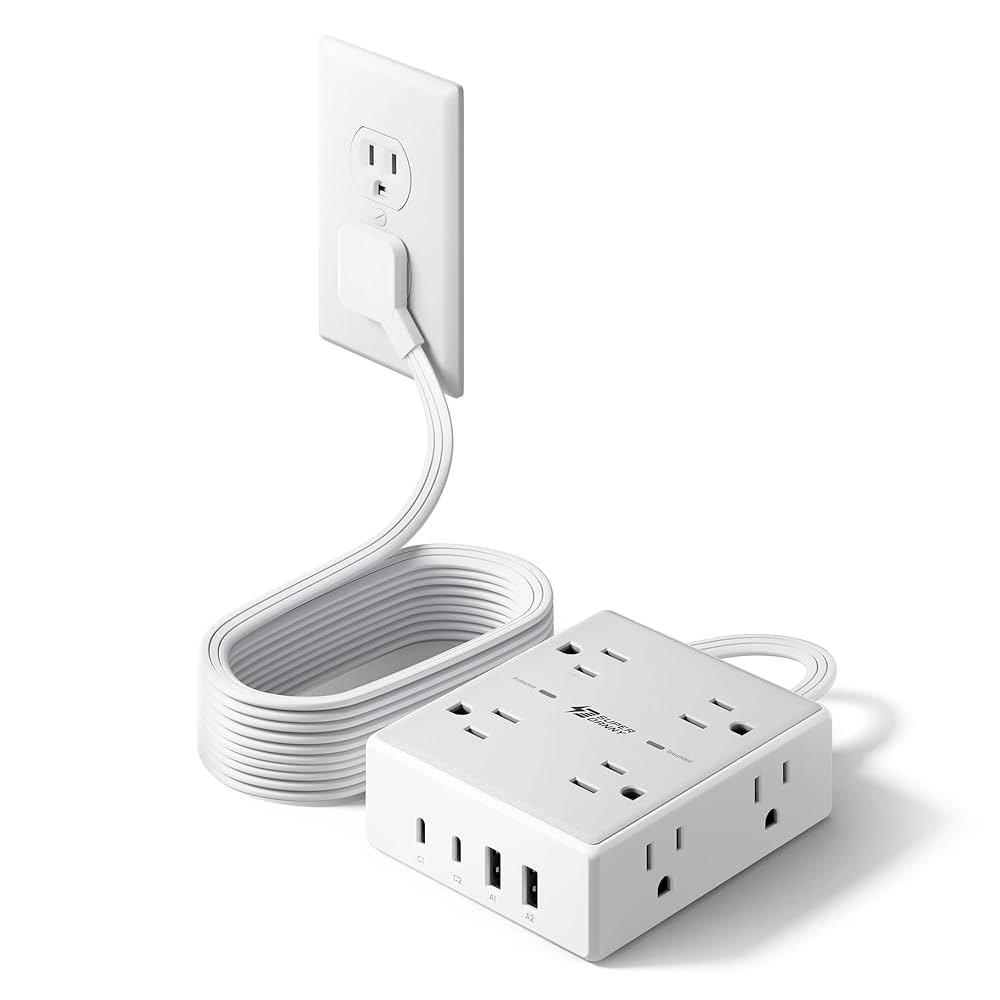
Have you ever found yourself in a situation where you need to power multiple devices but only have one outlet available? It’s a common scenario that can leave you feeling frustrated and a bit overwhelmed.
This is where the humble extension cord comes into play. But before you plug in everything you own, you might be wondering: can an extension cord safely run multiple devices simultaneously? It’s a question worth asking because understanding the capabilities and limits of your extension cord could save you from potential mishaps.
We’ll dive into the details you need to know to make informed decisions, ensuring both convenience and safety in your home. Stay with us as we unravel the facts that will empower your everyday life.

Credit: www.popularmechanics.com
Extension Cord Basics
Extension cordscarry electricity from a power source to devices. Inside, copper wires transmit the current safely. The outer cover keeps wires protected and insulated. Using cords correctly prevents shocks and fires.
Extension cords come in different types, made for indoor or outdoor use. Outdoor cords have thicker insulation to resist moisture and rough use. Indoor cords are lighter and not made for wet areas.
| Cord Length | Gauge (Wire Thickness) | Use |
|---|---|---|
| Up to 25 feet | 16-18 gauge | Small devices like lamps, chargers |
| 25-50 feet | 14 gauge | Medium power tools, appliances |
| Over 50 feet | 12 gauge | High power devices like heaters, air conditioners |
Power Limits And Ratings
Wattageand ampstell how much power a device uses. Wattage means the total power in watts. Amps show the current in amperes. Extension cords have limits on how much power they can carry safely.
The maximum load capacityis the highest power the cord can handle. Exceeding this can cause overheating or fire risks. It is important to not plug in devices that use more power than the cord can support.
Check the labels on the cordto find its ratings. Labels show max amps and wattage. Use these numbers to decide how many devices you can plug in safely.
| Term | Meaning | Why It Matters |
|---|---|---|
| Wattage | Power used by device (watts) | Helps to add up total power |
| Amps | Electric current (amperes) | Shows how much current flows |
| Maximum Load | Max power cord can carry | Prevents overheating and hazards |
| Cord Labels | Info on power limits | Guides safe device connection |
Running Multiple Devices
Check the power rating on each device to know its wattage. Add all device wattages to get the total power usage. Compare this total to the extension cord’s maximum wattage capacity. Exceeding this limit can cause overheating or fire risk.
To avoid overloads, do not plug too many devices into one cord. Spread devices across multiple outlets or circuits if needed. Unplug devices not in use to reduce load.
- Use power strips with built-in circuit breakers for safety.
- Do not daisy chain power strips or extension cords.
- Choose power strips with surge protection to guard devices.
- Inspect cords regularly for damage or wear.

Credit: www.popularmechanics.com
Safety Tips
Inspect cords for cuts, frays, or exposed wires. Replace damaged cords immediately to avoid fire risks. Check plugs and sockets for looseness or damage. Use cords with the right power rating for your devices.
Avoid daisy chaining. Connecting multiple extension cords together can overload circuits. This causes overheating and possible electrical fires. Use a single, longer cord or a power strip with built-in protection instead.
Place cords where they won’t get wet or pinched. Keep cords away from heat sources and sharp edges. Ensure cords have room to breathe; don’t cover them with rugs or furniture. Good ventilation prevents heat build-up and hazards.
Common Risks And Hazards
Using an extension cord for many devices can cause fire hazards. Overloading the cord makes it very hot. This heat can burn the cord’s cover and start a fire. Old or damaged cords increase this risk.
Electrical shockshappen if the cord is broken or wet. Touching a damaged cord may cause a strong shock. This is very dangerous, especially for kids and pets.
Plugging too many devices can lead to equipment damage. The power may not be steady, causing devices to stop working or break. Some devices need more power than the cord can give.

Credit: www.popularmechanics.com
Alternatives To Extension Cords
Installing additional outlets can help reduce the need for extension cords. A professional electrician can add more outlets in convenient places. This allows you to plug in devices directly and safely. It also prevents overloading one outlet with many devices.
Using surge protectors is a safer way to power multiple devices. These devices protect your electronics from sudden power spikes. They also have multiple sockets, so you can plug in many items at once. Surge protectors come in different sizes to fit your needs.
Wireless and battery options offer great freedom from cords. Devices like battery-powered lamps or wireless chargers reduce cable clutter. They work well for small electronics and temporary setups. This option is good for areas with limited power access.
Frequently Asked Questions
Can Extension Cords Safely Power Multiple Devices?
Yes, extension cords can power multiple devices if the combined load does not exceed the cord’s rated capacity. Always check the cord’s amperage rating to avoid overheating and potential hazards.
How Many Devices Can An Extension Cord Handle?
The number of devices depends on the total wattage and the cord’s maximum current rating. Avoid plugging in too many high-power devices to prevent overload and fire risks.
What Happens If I Overload An Extension Cord?
Overloading causes excessive heat, damaging the cord and creating fire hazards. It can also trip circuit breakers or cause electrical failures. Always use cords within their rated limits.
Are All Extension Cords Suitable For Multiple Devices?
No, not all cords are designed for multiple devices. Heavy-duty cords with higher amperage ratings are best for powering several devices safely. Choose cords based on your power needs.
Conclusion
Extension cords can power several devices at once, but with limits. Always check the cord’s wattage and device needs. Overloading risks fire and damage. Use cords with safety features and avoid daisy-chaining them. Keep cords in good shape and replace if worn.
Proper use keeps your space safe and devices running well. Stay careful and smart when using extension cords together.