Have you ever found yourself in a situation where your laptop battery is running low, but you’re miles away from a power outlet? You might consider using a power bank to charge your laptop, but then a worrying thought crosses your mind: could this damage your laptop battery?
You’re not alone in this concern. Many laptop users like you are curious about the impact of power banks on their laptop batteries. We’ll dive into the facts and myths surrounding power banks and laptop batteries. You’ll discover whether using a power bank is a safe solution or if it poses risks to your laptop’s longevity.
By the end, you’ll have the clarity you need to make informed decisions about powering up your laptop on the go. Let’s unlock the truth behind the potential threats and benefits of power banks for your laptop battery.

Credit: www.ecoflow.com
Power Banks And Laptop Batteries
Power banks are handy for charging devices. They can charge laptops too. But, can they harm laptop batteries? Most power banks are safe. They have protection features. These features prevent overcharging and overheating. Using a power bank can be safe for laptops. But, it’s important to choose the right one. Check the power bank’s voltage and amperage. They should match the laptop’s needs. If they don’t match, it can cause issues. The battery might not charge properly. Or worse, it might get damaged.
Always use a good quality power bank. Cheap ones may lack safety features. They might cause damage to laptop batteries. Look for brands with a good reputation. Read reviews before buying. It’s better to be safe than sorry. Protect your laptop’s battery with the right power bank.
How Power Banks Work
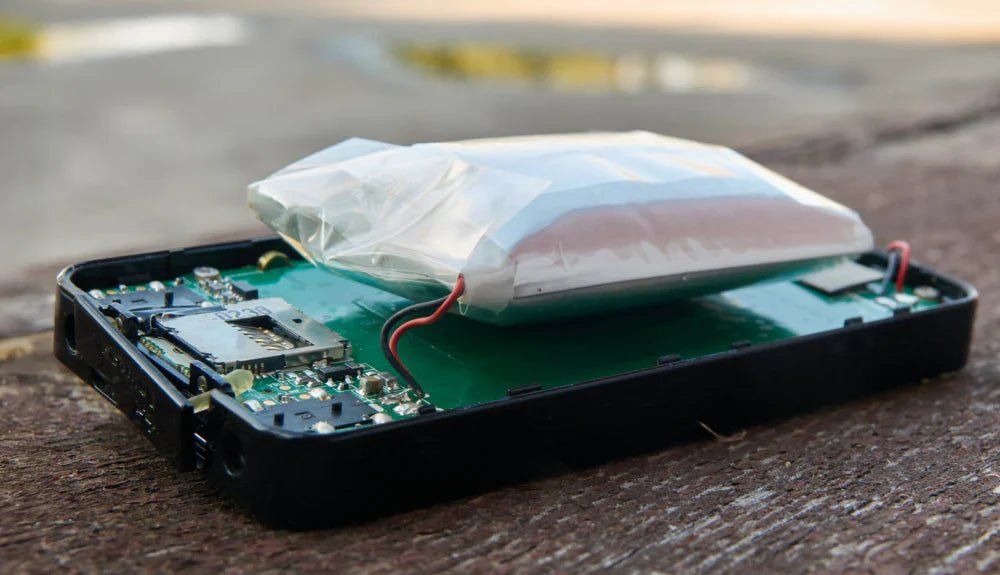
Power banks store energy in batteries. They release energy to charge devices. The process is simple and safe. Most power banks use lithium-ionor lithium-polymercells. These cells are common in electronics. A cable connects the power bank to the device. The device draws energy from the power bank. It’s like filling a water bottle from a tap. The device decides how much energy it needs. Power banks have safety features. They prevent overcharging and overheating.
Not all power banks work with laptops. Check the voltage and wattageneeded by your laptop. Many power banks support phones and tablets. Laptops need more power. Some power banks are designed for laptops. These have higher capacity and output. Always use the right cable and adapter. Wrong connections can damage batteries. Choose a power bank made for laptops. It ensures safe and efficient charging.
Potential Risks To Laptop Batteries
Power bankscan overcharge laptop batteries if not used properly. Most laptops have built-in protections to stop overcharging. But, some power banks lack this feature. Overcharging can make batteries hot and less efficient. Heat is bad for battery life. Always use a power bank with overcharge protection.
Laptops need a specific voltage and currentto charge safely. Using a power bank with wrong settings can harm the battery. It might charge too slowly or not at all. This can cause the battery to drain faster over time. Always check your laptop’s charging needs. Match these with your power bank’s output for safe charging.
Quality Of Power Banks
Power banks can affect laptop batteries if not used properly. Ensure compatibility and quality before connecting them. Poor quality power banks may cause battery damage or reduce lifespan.
Reputable Brands Vs. Generic Models
Power banks from reputable brandsusually have better safety features. They are designed to protect your laptop battery. Generic models might lack important safety checks. Using them can be risky. Brand power banksoften have better build quality. This means they are less likely to cause problems. Always check reviews before buying a power bank.
Safety Standards And Certifications
Power banks should meet international safety standards. Look for certifications on the packaging. These ensure the product is tested and safe. Certified power banks are less likely to damage your laptop. They have features to prevent overheating. Always choose products with clear certifications. They offer more safety for your devices.
Best Practices For Using Power Banks
Power banks can harm laptop batteries if used incorrectly. Ensure compatibility with your laptop’s voltage and current requirements. Always use high-quality power banks to avoid potential battery damage.
Checking Compatibility
Ensure the power bank is compatible with your laptop. Check the voltage and amperage. They should match your laptop’s requirements. Using the wrong power bank can damage your laptop battery. Always use a certified power bank. This helps prevent any issues. Look for brands you trust. Avoid cheap, unknown brands.
Monitoring Charge Levels
Keep an eye on your laptop’s charge level. Do not let it drop below 20%. This helps maintain battery health. Overchargingcan also be harmful. Disconnect the power bank once fully charged. This prevents excess heat build-up. Use your laptop’s settings to monitor battery health. This ensures a longer lifespan. Always keep your power bank charged too. A fully charged power bank is more effective.

Credit: www.voltacharger.com
Alternatives To Power Banks
Portable chargers can be a great choice for laptops. They are handy and easy to carry. Some can charge a laptop fully. Look for ones with high capacity. Check for compatibility with your device. This ensures efficient charging. Many portable chargers have USB-C ports. These ports are ideal for laptops. Some models offer fast charging. This saves time when in a rush.
Using direct AC adapters is another safe option. They connect directly to wall outlets. This provides stable power supply. Most laptops come with these adapters. They are designed for the specific laptop model. Using the correct adapter prevents damage. It ensures smooth functioning of the laptop. Ensure the adapter matches the laptop’s power needs. This keeps the battery healthy. Direct AC adapters are reliable and efficient.
Consumer Experiences
Many users share their stories about power banks. Some say power banks are helpful. They like charging on the go. Others have different experiences. Their laptops charge slower. Some notice batteries drain faster. They worry about long-term damage.
- Slow charging affects productivity.
- Battery overheating is a concern.
- Shortened battery life is reported.
- Compatibility problems with some power banks.

Credit: www.amazon.com
Frequently Asked Questions
Is It Bad To Charge Your Laptop With A Power Bank?
Charging your laptop with a power bank is generally safe. Ensure the power bank’s output matches your laptop’s requirements. Use a high-quality power bank to avoid any damage. Always check for compatibility and manufacturer’s recommendations to ensure safe charging.
Can A Powerbank Damage A Battery?
A powerbank usually doesn’t damage a battery if used correctly. Always use compatible devices and follow manufacturer guidelines. Charging with low-quality powerbanks might cause harm. Regular monitoring ensures safe usage. Keep an eye on battery temperature and avoid overcharging for optimal protection.
What Can Damage A Laptop Battery?
Overcharging damages laptop batteries by reducing lifespan. Heat exposure causes degradation. Frequent full discharges decrease battery efficiency. Using incompatible chargers risks battery health.
Can A Power Surge Damage A Laptop Battery?
Yes, a power surge can damage a laptop battery. It can harm internal components and reduce battery life. Use surge protectors to safeguard your laptop against sudden voltage spikes. Ensuring proper protection helps maintain battery health and laptop performance.
Conclusion
Power banks can affect laptop batteries. Use them with caution. Always check compatibility before connecting. A reliable power bank protects your battery. Choose one with the right voltage. Avoid frequent usage for charging laptops. It might strain the battery. Consider the manufacturer’s recommendations.
They know best about their products. Regularly monitor your laptop’s battery health. This ensures longer life. Remember, proper care extends battery longevity. Keep informed and make wise charging choices. Your laptop will thank you.