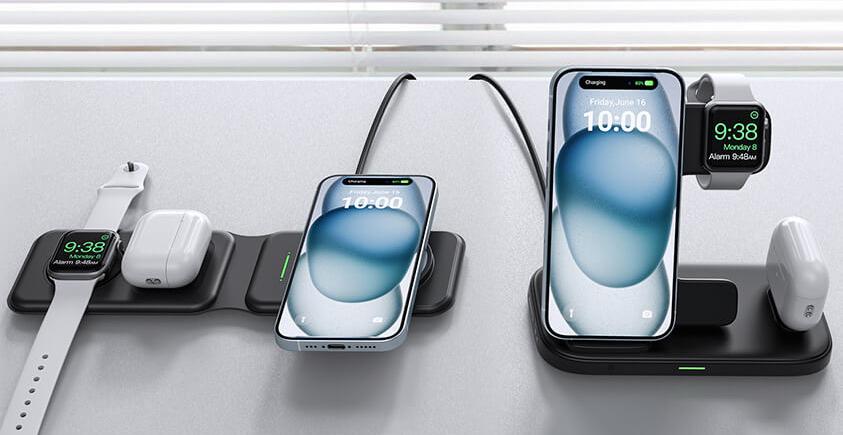
Imagine the convenience of simply placing your AirPods on a charging pad and having them power up without fiddling with cables. You might be wondering if wireless charging is possible for your beloved AirPods, and if so, how it works.
This intriguing technology promises to simplify your life and keep your devices ready to go without the hassle of tangled wires. But does it really deliver on its promise? Dive into this article where we will uncover the secrets of wireless charging for AirPods.
We’ll explore how it works, what you need to make it happen, and whether it’s worth the investment for you. Get ready to discover how you can elevate your AirPods experience to a whole new level of convenience.
Wireless Charging Basics
Wireless charging can work with AirPods if you have a case that supports this feature. Place the case on a compatible charging mat, and it will start charging automatically. Ensure the charging mat is Qi-certified for best results.
How Wireless Charging Works
Wireless charging uses electricitywithout cords. A charging pad sends energy to your device. This energy comes from a coil inside the pad. The device also has a coil. Both coils work together. They create an electromagnetic field. This field transfers power to the device’s battery.
Key Components Of Wireless Charging
- Charging Pad:Holds the coil that sends energy.
- Receiver Coil:Inside the device, receives energy.
- Electromagnetic Field:Connects the pad and device.
- Power Source:Provides energy to the pad.
Airpods Models And Charging Options
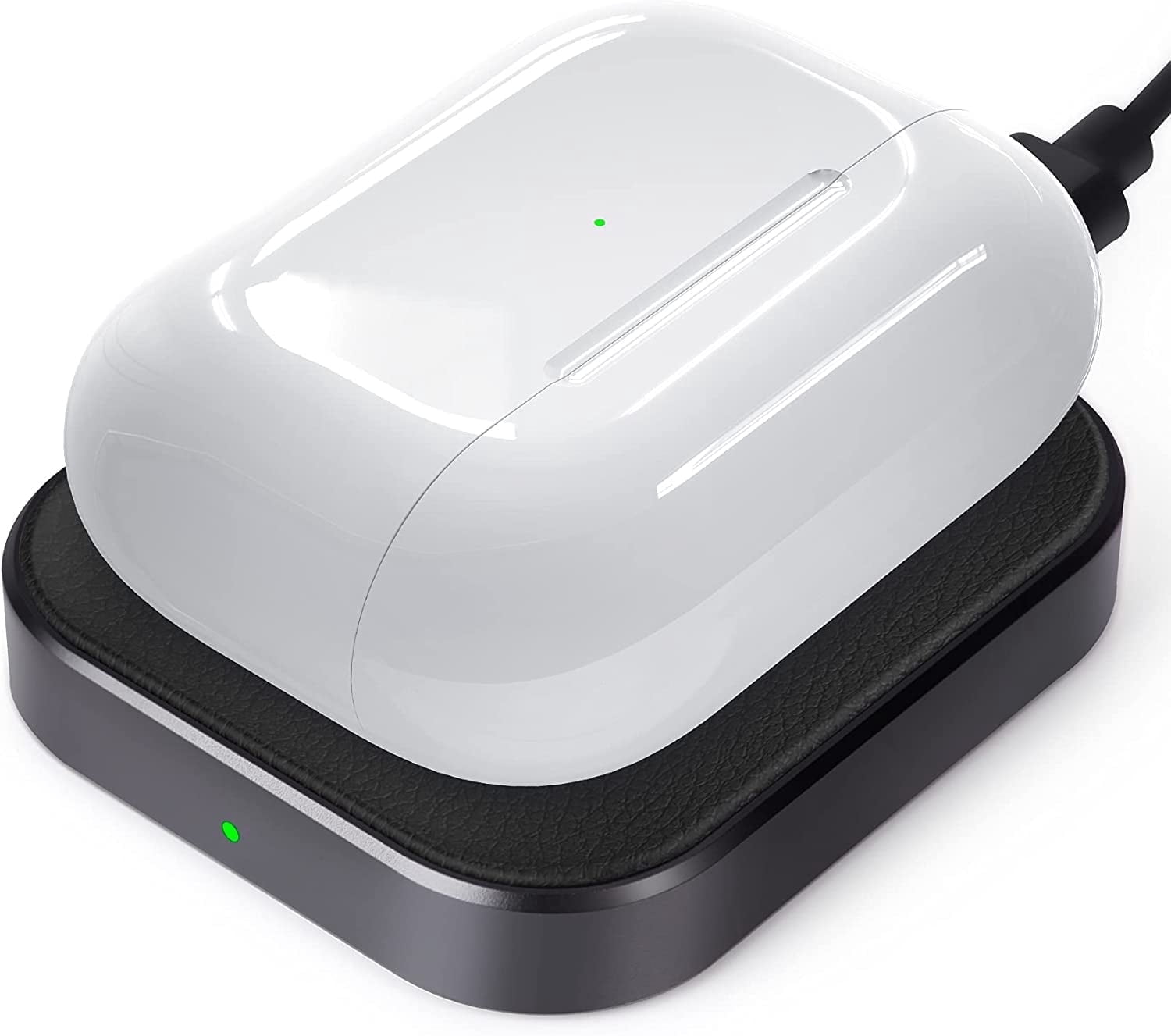
The AirPods Wireless Charging Case lets you charge without cables. Just place it on a Qi-certified charging mat. A light on the case shows when it’s charging. It works for AirPods Pro and AirPods (2nd generation). The light glows orange while charging. Once fully charged, it turns green. Easy and convenient.
Not all AirPods have wireless charging. Here’s a simple guide:
- AirPods Pro: Yes, they support wireless charging.
- AirPods (2nd generation): Yes, with a wireless charging case.
- AirPods (1st generation): No, only wired charging.
Check your model to see if it works. A quick look at the case helps. If it has a light on the front, it likely supports wireless charging. Simple and helpful.
Benefits Of Wireless Charging For Airpods
Wireless charging for AirPods offers convenience by eliminating tangled cords. It works seamlessly with compatible charging cases. Just place the case on a wireless pad, and charging begins effortlessly.
Convenience And Ease Of Use
Wireless charging is very simple. Just place your AirPods on the pad. No need for cables or plugs. This makes it easy to charge anytime. You can charge while watching TV or sleeping. Wireless pads are small and easy to use. Keep one in your room or office.
Portability And Design
Wireless chargers are small and light. Easy to carry anywhere. They fit in bags and backpacks. No need for many cables. This makes travel simpler. The design is sleek and modern. It matches well with other gadgets. It looks neat and tidy on your desk.

Credit: www.amazon.com
Challenges And Limitations
Challenges and Limitations Wireless charging for AirPods can be convenient but may face issues like slow charging speeds and compatibility. Some charging pads might not support all AirPods models, leading to inefficiencies. Users may also encounter alignment problems, causing charging interruptions or inefficiencies.
Charging Speed Considerations
Wireless charging for AirPods often charges slower than wired methods. The power transfer can be less efficient. This means longer charging times. Some chargers might not deliver enough power. AirPods may take hours to fully charge. Wired charging is usually faster. It’s more reliable for quick power-ups. Wireless chargers can vary in quality. Choose ones with good reviews for better results.
Potential Interference Issues
Wireless signals can interfere with charging. Nearby electronics may disrupt the process. Devices like routers or microwaves can cause trouble. AirPods may not charge correctly. Placement on the charger is important. Misalignment leads to charging problems. Ensure the AirPods are centered. This helps prevent any disruption. Avoid placing other objects near the charging area.
Comparing Wired And Wireless Charging
Wireless charging for AirPods is possible with compatible cases, offering convenience without cables. Wired charging remains faster and more efficient, appealing to users who prioritize speed.
Efficiency And Performance
Wired charging is often faster than wireless charging. It delivers power directly through a cable. Wireless charging uses electromagnetic fields. This can take more time. Some wireless chargers may not be as efficient. They might lose energy during transfer. Wired chargers usually provide stable performance. Wireless chargers can be affected by the position of the device. Keeping Airpods in the right spot is important for good charging.
Durability And Longevity
Wired chargers can wear out over time. The cable may break or fray. Wireless chargers are less prone to physical damage. They use a pad or stand. This can extend their lifespan. Wireless charging reduces wear on the Airpods port. This can help them last longer. Using wireless charging can protect the device from frequent plugging and unplugging.

Credit: iniushop.com
Choosing The Right Wireless Charger
Wireless charging works with AirPods if they have a compatible case. Look for chargers that support Qi wireless standard. Ensure the charger can accommodate the AirPods case size for seamless charging.
Factors To Consider
Make sure the charger fits your AirPods case. Check its charging speed. Faster chargers save time. Look for a charger with safety features. It protects your AirPods from overheating. Consider the charger’s size. Bigger chargers might be hard to carry. Price is important too. Choose a charger within your budget.
Popular Wireless Charger Brands
- Apple: Known for quality and compatibility.
- Belkin: Offers durable and fast chargers.
- Anker: Affordable with good performance.
- Mophie: Stylish and reliable options.
Future Of Wireless Charging
Wireless charging works seamlessly with AirPods that have a compatible charging case. Just place the case on a Qi-compatible wireless charger. This convenient feature makes it easier to keep your AirPods ready for use.
Technological Advancements
Wireless charging is growing fast. New technologies make it more efficient. Engineers work hard to improve it. They create better coils and materials. This helps charge devices faster and with less energy. Magnetic resonance is another big step. It allows charging from a distance. Soon, people may charge devices without plugging in.
Impact On Consumer Electronics
Wireless charging changes how we use gadgets. Phones, tablets, and earbuds can charge easily. Airpods also use this technology. It makes life simple for users. No more tangled wires. Many public places now have wireless charging spots. This helps people charge on the go. Wireless charging is here to stay.
Credit: www.walmart.com
Frequently Asked Questions
Can I Wirelessly Charge My Airpods?
Yes, AirPods Pro and AirPods with Wireless Charging Case support wireless charging. Simply place them on a Qi-compatible charger. Make sure the case’s status light is facing up for proper charging. Wireless charging offers convenience and eliminates the need for cables.
Enjoy the ease of wireless power for your AirPods!
How Do I Know If Airpods Have Wireless Charging?
Check the AirPods case for a small LED light on the front. This indicates wireless charging capability. Models with wireless charging have “Wireless Charging Case” in the product description. Verify this feature before purchase.
Why Are My Airpods Not Charging On A Wireless Charger?
AirPods may not charge wirelessly due to misalignment on the charger. Ensure proper placement on the charging pad. Check for compatibility issues between your AirPods and the charger model. Inspect for dirt or debris on the AirPods case. Verify the charger is functioning correctly and providing power.
Which Airpods Models Support Wireless Charging?
AirPods Pro, AirPods 2nd generation, AirPods 3rd generation, and AirPods Pro 2nd generation support wireless charging. Use a Qi-compatible charging mat for convenience. Ensure your charging mat is placed correctly for optimal performance. Upgrade to newer models for enhanced features and seamless wireless charging capabilities.
Conclusion
Wireless charging works well with AirPods. It’s simple and convenient. Just place your AirPods on a compatible charging pad. No need for cords or plugs. This feature offers more freedom and ease. Many users find it enhances their experience. Consider a wireless charging case for added benefits.
It’s a worthwhile investment. Enjoy tangle-free charging anytime. Wireless technology is evolving fast. AirPods keep up with these changes. So, explore this modern charging method. It might suit your lifestyle perfectly. Stay updated with the latest tech trends. Embrace the simplicity of wireless charging today.