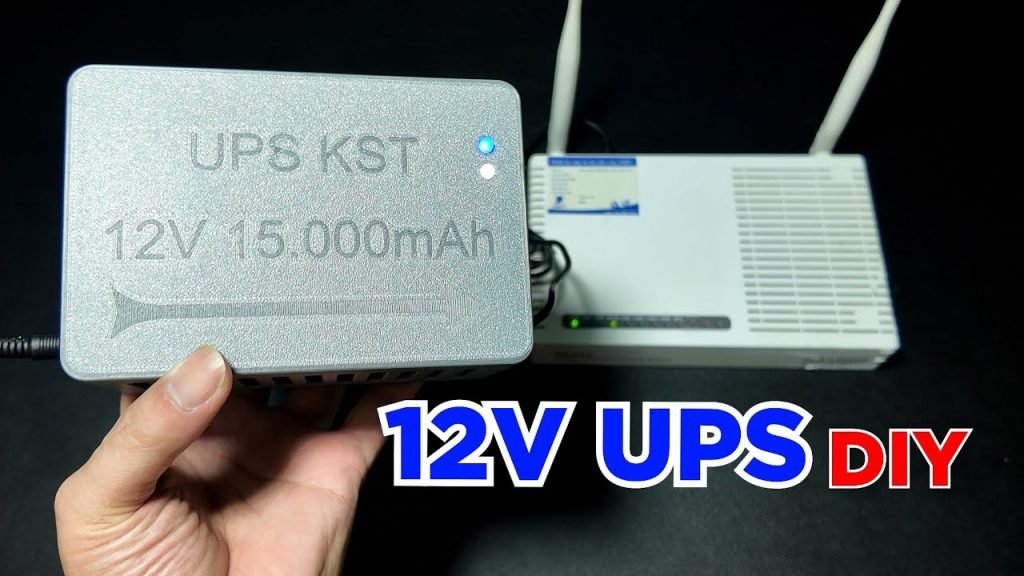
Imagine the frustration of losing your internet connection just when you need it the most. Whether it’s during an important work meeting, while streaming your favorite show, or gaming with friends, power outages can disrupt your digital life.
But there’s a simple solution: connecting a UPS (Uninterruptible Power Supply) to your modem and router. This setup ensures that your network stays up and running, even when the lights go out. In this guide, you’ll discover how to seamlessly connect a UPS to your modem and router, keeping your internet steady and reliable.
Dive in to find out how you can safeguard your online world and prevent those unexpected interruptions.
Benefits Of Using A Ups
A UPS guards your devices from sudden power spikes. These spikes can damage sensitive equipment. Modems and routers are delicate. A UPS keeps them safe. It acts like a shield. This protection is crucial.
With a UPS, your internet stays on even if power goes off. You can continue to work or play online. No interruptions. This is important during storms or blackouts. Stay connected all the time.
A UPS helps save your data. Without it, sudden power loss can cause data loss. Important files can get corrupted. A UPS gives you time to save work. It prevents accidents. Your data remains secure.

Credit: www.reddit.com
Types Of Ups Systems
Standby UPS systems offer basic protection. They are perfect for home use. They switch to battery power during outages. Power surges and spikes are managed effectively. Cost-effective and easy to install. Ideal for small devices like modems and routers. They have limited battery life but are reliable.
Line-interactive UPS systems provide better power protection. They adjust voltage changes automatically. This system is good for small offices. Voltage regulation keeps devices safe. They are more expensive than standby systems. They offer longer battery life and better efficiency.
Online UPS systems offer the best protection. They provide continuous power supply. Perfect for critical devices and servers. They filter power fluctuations constantly. This system is the most expensive option. It offers unmatched reliability and performance. Ideal for places where power quality is essential.
Choosing The Right Ups For Your Network
Connecting a UPS to your modem and router ensures network reliability during power outages. First, select a UPS that matches your power needs. Then, plug the modem and router into the UPS outlets to keep them powered.
Assessing Power Requirements
Check your modem and router power needs. It’s important to know how much power they use. Look at the labels or manuals for wattage or voltage. Add them up to get the total power needed. Always choose a UPS with a bit more power than this total. This ensures your devices work smoothly.
Considering Battery Backup Time
Think about how long you need the battery backup. A longer backup time is better if power cuts happen often. Some UPS units offer 30 minutes of backup. Others can last for hours. Decide based on your needs and budget. Longer backup times may cost more.
Evaluating Ups Features
Look for features like surge protection and multiple outlets. Surge protection keeps your devices safe from power spikes. More outlets let you connect more devices. Some UPS units have LCD displays. They show battery status and other useful info. Choose a UPS that fits your needs best.
Preparing For Ups Installation
First, gather all the tools you need. A screwdriver and power cables are essential. You might need zip ties to organize wires. Ensure you have the UPS unit ready. Check if you need an extension cord. Keep all items within easy reach.
Find the modem and router in your home. They are usually near the computer. Look for blinking lights on small boxes. Ensure they are close to a power outlet. Check if there is enough space for the UPS. Make sure cables can reach the UPS easily.
Connecting Ups To Modem And Router
Ensure your modem and router stay online during power outages by connecting them to a UPS. Simply plug both devices into the UPS outlets. This setup provides continuous power, protecting your internet connection from interruptions.
Plugging In The Ups
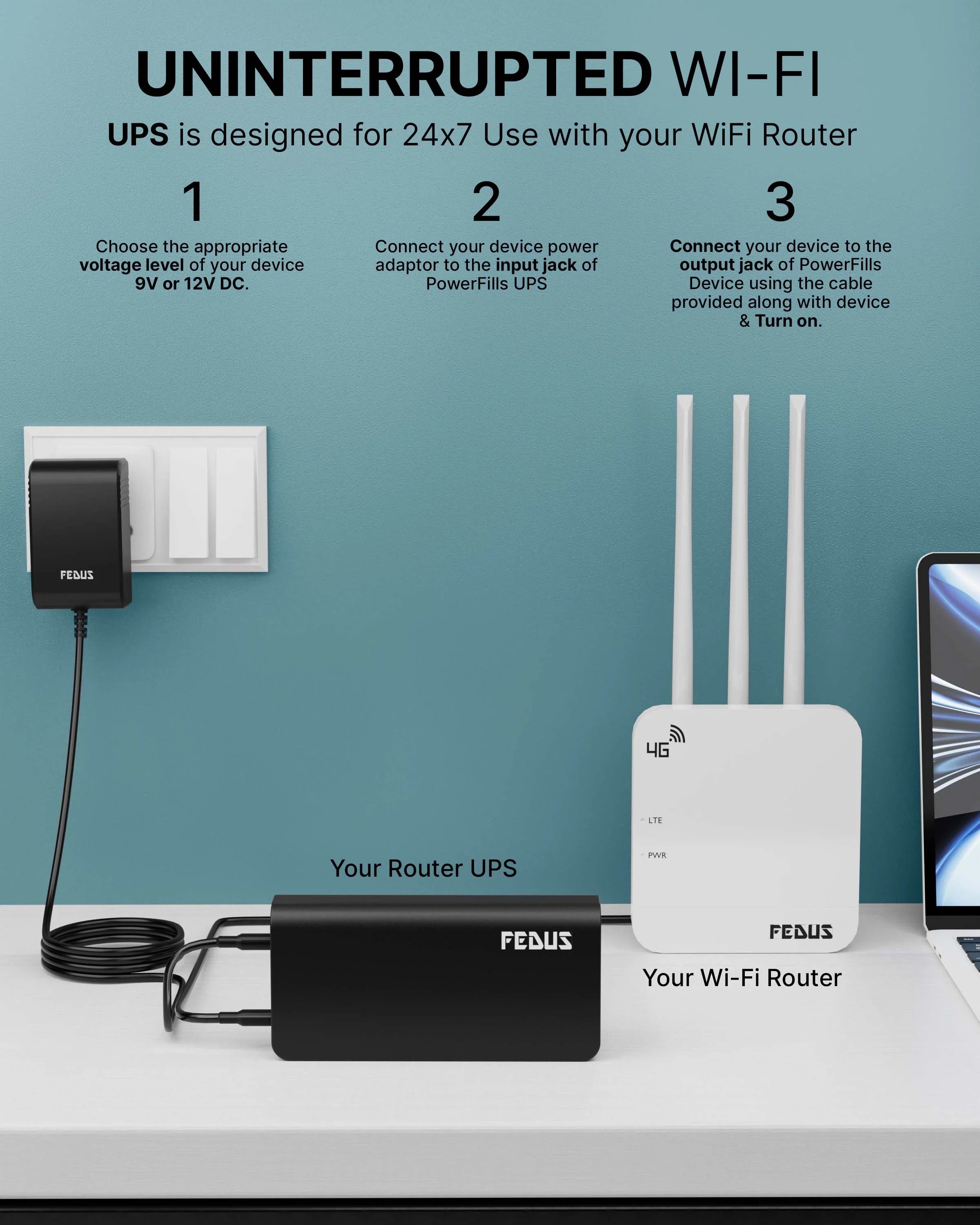
Find a safe spot for the UPS near the modem and router. Ensure it’s close to a power outlet. Plug the UPS into the wall socket. Turn on the UPS using its power button. You should see lights on the UPS indicating power.
- Locate the power cables for the modem and router.
- Plug them into the UPS outlets.
- Check if they are securely connected.
- Turn on the modem and router.
- Ensure both devices have power.
Watch the lights on your modem and router. They should turn on and work normally. This setup helps keep internet running during power cuts.
Credit: www.fedus.in
Testing The Ups Connection
Connecting a UPS to a modem and router ensures continuous internet access during power outages. Start by plugging the modem and router into the UPS. Then, connect the UPS to a power source. This setup protects your network devices from sudden shutdowns.
Simulating Power Outage
Turn off the main power switch. Watch the UPSkick in. Listen for any beeps. Check if the modem and router are on. They should still have lights on. This means the UPS works. If they turn off, check the connections.
Checking Internet Connectivity
Go online and visit a website. Refresh the page a few times. Make sure it loads each time. If not, check the cables again. Make sure everything is plugged in right. Try another device to see if it connects. If all devices work, the UPS is doing its job.
Maintaining Ups System
Connect the UPS to your modem and router for uninterrupted internet during power outages. Use the UPS power cable to link to the modem and router. Ensure a stable connection by checking the plugs and cables regularly.
Regular Battery Checks
Check the batteryevery month. See if it’s working well. Look for signs of wearor damage. Replace the battery when needed. A healthy battery keeps the modem safe. It helps the router stay online during power cuts. Always keep spare batteries handy.
Firmware Updates
Ensure the UPS has the latest firmware. Updates fix bugs and improve performance. Check for updates on the manufacturer’s website. Follow instructions to install them. Updated firmware can protect your devices better. It ensures reliableoperation of the system. Keep your UPS running smoothly with regular updates.

Credit: www.tiktok.com
Troubleshooting Common Issues
Connecting a UPS to a modem and router keeps your internet working during power outages. Start by plugging your modem and router into the UPS outlets. Ensure the UPS has enough capacity to support both devices. Keep cables organized to avoid tangling.
Test the setup by unplugging the UPS from the wall.
Ups Not Powering Devices
Ensure the UPS is properly connected to power. Check all cables for secure connections. Some cables might be loose or damaged. Inspect the power button on the UPS. It must be switched on. Verify the battery status on the UPS display. A dead battery won’t power devices. Replace the battery if necessary. Make sure the UPS capacity matches the device needs. Heavy devices require more power. Keep the UPS free from obstructions. Cool the UPS to avoid overheating.
Frequent Battery Alarms
Check the UPS battery age. Old batteries trigger frequent alarms. Replace batteries every 3 years. Inspect the UPS settings for alarm thresholds. Adjust settings to reduce alarms. Ensure the battery is fully charged. Low charge causes alarms. Confirm device load capacity. Overloading triggers battery alarms. Disconnect extra devices from the UPS. Keep the UPS clean and dust-free. Dust can affect performance. Regularly test the UPS functionality.
Frequently Asked Questions
Can I Connect My Modem To Ups?
Yes, you can connect your modem to a UPS. Ensure the UPS has adequate power capacity for your modem’s requirements. This setup helps maintain internet connectivity during power outages. Use a compatible UPS to safeguard your modem from sudden electrical surges and interruptions.
Should I Plug My Router Into An Ups?
Plugging your router into an UPS ensures uninterrupted internet during power outages. It protects against sudden voltage spikes. This setup helps maintain connectivity, vital for remote work and smart home devices. An UPS safeguards your router, enhancing its longevity and reliability.
How Do I Connect My Ups To Wi-fi?
To connect your UPS to Wi-Fi, access its settings via the manufacturer’s app. Follow the app instructions to enter your Wi-Fi credentials. Ensure your router is within range for a stable connection. Consult the user manual for specific model guidance.
How To Setup Ups For Router?
Choose a compatible UPS with sufficient wattage for your router. Connect the UPS to a power outlet. Plug the router’s power cable into the UPS. Turn on the UPS and router. Ensure the UPS is fully charged for uninterrupted power during outages.
Regularly check and maintain the UPS for optimal performance.
Conclusion
Connecting a UPS to a modem and router ensures continuous internet access. Power outages will no longer disrupt your online activities. Keep your devices connected and powered. Enjoy a seamless internet experience without interruptions. A UPS safeguards against sudden power loss.
Simple steps make the setup easy. Anyone can follow them. Protect your equipment from power surges and blackouts. Secure your connection. Maintain productivity and communication without worries. Now, you’re ready to stay online, even when the lights go out. It’s a smart choice for reliable connectivity.
Stay connected and worry-free.