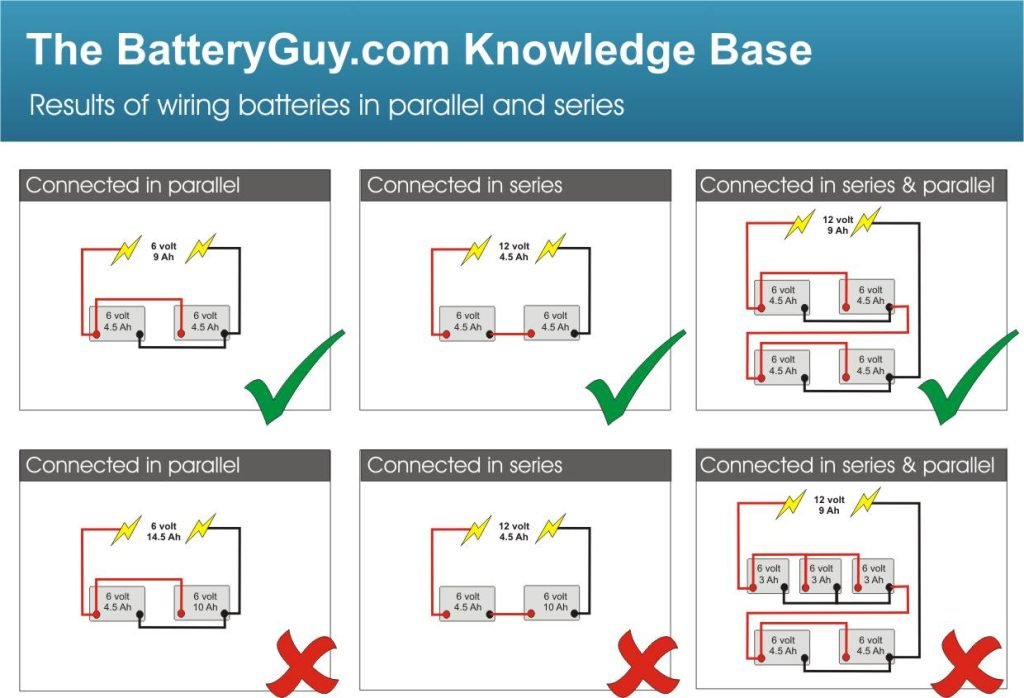
Are you ready to ensure your generator never lets you down? Connecting a generator battery might seem daunting at first, but it’s easier than you think.
Imagine the relief of knowing your generator is always ready to spring into action, especially during unexpected power outages. By mastering the art of connecting your generator battery, you not only empower yourself with practical skills but also save on unnecessary service costs.
In this guide, you’ll discover simple steps and tips that make the process a breeze. Stick with us, and you’ll be equipped with the know-how to confidently connect your generator battery, ensuring peace of mind every time you need it. Let’s dive in and get your generator ready for anything!

Credit: www.youtube.com
Choosing The Right Battery
Generator batteriescome in different types. The most common are lead-acidand lithium-ion. Lead-acid batteries are heavy but cost less. Lithium-ion batteries are lighter and last longer but cost more.
Battery capacityis important. It tells how much power the battery can store. Check the size of your generator to pick the right battery size. A bigger generator needs a bigger battery. A small one needs a smaller battery.
- Keep battery terminals clean to avoid corrosion.
- Check water levels if using lead-acid batteries.
- Charge the battery regularly to keep it healthy.
- Store batteries in a cool, dry place.
- Replace old batteries to avoid power failure.
Safety Precautions
Always wear protective glovesand safety glasses. These protect your hands and eyes from sparks and acid.
Use insulated toolsto avoid electric shock. Make sure clothes fit well and cover your arms.
- Check cables for damage before starting.
- Keep the work area dry and clean.
- Never touch battery terminals with bare hands.
Work outdoors or in a well-ventilated place. Avoid closed spaces to prevent gas build-up.
Keep metal objects away from battery terminals. Sparks can cause fires or explosions.
Tools And Materials Needed
Gather basic tools like wrenches, pliers, and safety gloves before starting. Use proper cables and a compatible battery for safe connection.
- Wrench or socket set:Needed to tighten or loosen battery terminals.
- Screwdrivers:Useful for removing terminal covers and clamps.
- Battery connectors:These attach the battery to the generator.
- Heavy-duty cables:Ensure good power flow from battery to generator.
- Wire stripper and crimper:For preparing and securing cables.
- Wire brush or terminal cleaner:Cleans corrosion on battery terminals.
- Safety gloves and goggles:Protect hands and eyes during work.
- Multimeter:To check battery voltage and connections.

Credit: www.youtube.com
Preparing The Battery For Connection
Cleaning battery terminalsis important for a good connection. Use a wire brush or sandpaper to remove dirt and corrosion. Wipe the terminals with a clean cloth to ensure they are dry. This step helps the battery work better and last longer.
Checking battery chargeensures the battery has enough power. Use a voltmeter to check the voltage. A fully charged battery usually reads around 12.6 volts. If the charge is low, recharge the battery before connecting it to the generator.
Positioning the batterycorrectly is key for safety and performance. Place the battery on a flat, stable surface near the generator. Make sure the battery terminals are easy to reach but not touching any metal parts. This helps avoid sparks and short circuits.
Connecting The Battery To The Generator
The battery has two main parts: the positive (+)and negative (-)terminals. The positive terminal is usually red or marked with a plus sign. The negative terminal is black or marked with a minus sign. Identifying these correctly is very important to avoid damage.
Use the correct cables to attach the battery to the generator. Connect the red cableto the positive terminal. Connect the black cableto the negative terminal. Make sure the cables are tight and do not touch each other.
Secure all connections firmly. Loose cables can cause sparks or stop the generator from working. Check the cables after attaching. Tighten any loose bolts or clamps. This keeps the battery connected safely and helps the generator run well.
Testing The Connection
Start the generator by turning the key or pressing the start button. Listen closely for the engine sound. If the generator starts easily, the battery connection is good.
Watch for slow cranking or no sound. These signs mean the battery might be weak or connections are loose. Tighten clamps and clean terminals for better contact.
- Check battery voltage with a multimeter; it should read around 12.6 volts.
- Look for corrosion or dirt on battery terminals.
- Ensure cables are not damaged or frayed.
| Issue | Possible Cause | Solution |
|---|---|---|
| Generator won’t start | Dead battery or loose connection | Charge battery or tighten clamps |
| Slow engine cranking | Low battery voltage | Recharge or replace battery |
| Clicking sound only | Corroded terminals | Clean battery terminals |
Maintaining Battery Health
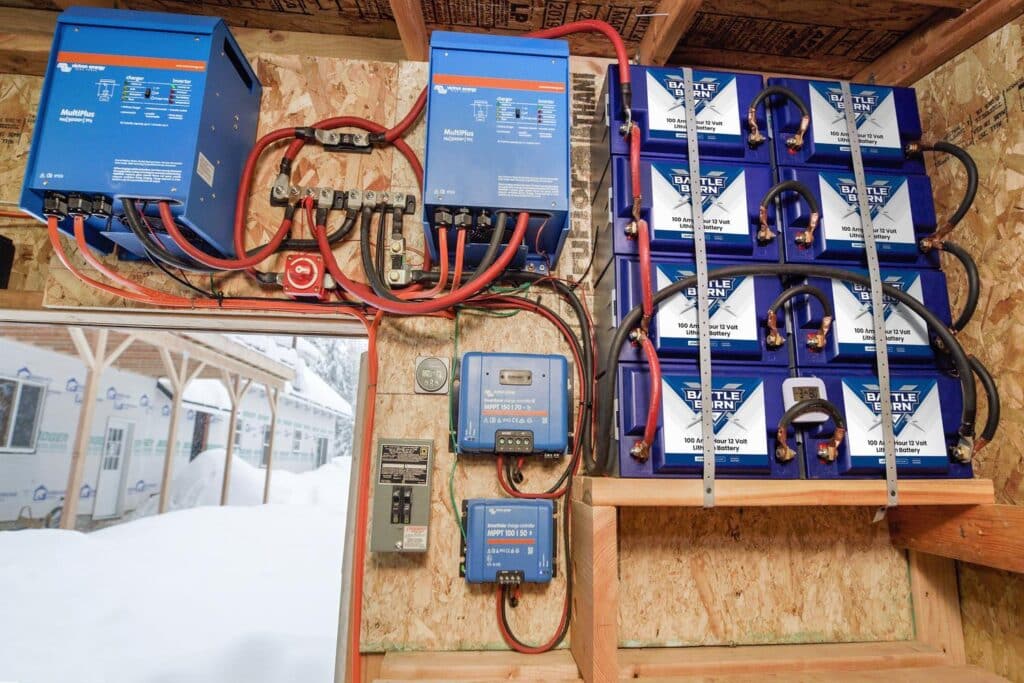
Regular inspectionkeeps the battery in good shape. Check for corrosionon terminals and clean them carefully. Look for cracks or leaks on the battery case. Tighten loose connections to avoid power loss. Watch for any swelling or damage. Inspect the electrolyte level if the battery is not sealed.
Charging practicesare key. Use a charger made for your generator battery type. Avoid overcharging, as it can damage the battery. Charge the battery slowly to keep it healthy. Disconnect the charger once the battery is full. Never use a charger with too high voltage.
Storage tips for longevityhelp the battery last longer. Store the battery in a cool, dry place. Keep it away from direct sunlight and extreme heat. Charge the battery before storing and recharge it every few months. Remove the battery from the generator if not used for a long time.
Credit: battlebornbatteries.com
Frequently Asked Questions
How Do I Safely Connect A Generator Battery?
First, turn off the generator and remove keys. Connect the positive (red) cable to the battery’s positive terminal. Then, connect the negative (black) cable to the negative terminal. Ensure connections are tight and clean. Finally, start the generator and check battery status.
What Tools Do I Need To Connect A Generator Battery?
You need a wrench or socket set to loosen and tighten terminals. Use safety gloves and goggles for protection. A wire brush helps clean battery terminals. A multimeter can check battery voltage and connections for accuracy.
Can I Connect A Generator Battery Without Expert Help?
Yes, if you follow safety guidelines carefully. Turn off all power sources, use proper tools, and connect terminals correctly. Avoid touching terminals simultaneously. If unsure, consult the generator’s manual or a professional to prevent damage or injury.
How Often Should I Check Generator Battery Connections?
Check connections every 3 to 6 months or before using the generator. Inspect for corrosion, loose cables, or damage. Clean terminals if necessary. Regular checks ensure reliable performance and extend battery life.
Conclusion
Connecting your generator battery is simple when you follow the right steps. Always check the battery and cables for damage first. Attach the positive cable to the positive terminal. Then, connect the negative cable to the negative terminal. Tighten the connections to avoid loose contacts.
Double-check all connections before starting the generator. This helps ensure safe and efficient power supply. Taking time to connect carefully protects your equipment and yourself. Now, your generator is ready to provide reliable power whenever needed. Easy, safe, and effective.