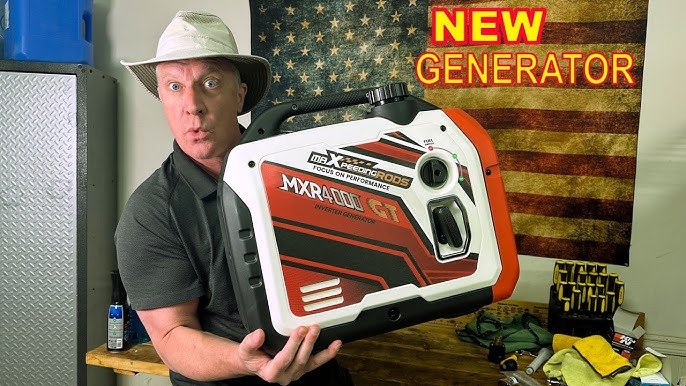
Imagine having the power to start your generator with just a tap on your smartphone. It sounds convenient, doesn’t it?
Whether you want to prepare for a power outage, or simply enjoy the comfort of controlling your generator remotely, connecting your generator’s remote start to an app can change the way you manage your power needs. You might be wondering how this technology can fit seamlessly into your life, bringing you peace of mind and ultimate control.
In this guide, you’ll discover the simple steps to connect your generator to an app, ensuring you’re always prepared and in charge, no matter where you are. Dive in, and let’s unlock the potential of your generator together!
Choosing The Right Generator Remote Start System
Remote start systemscome in different types. Some use key fobs, while others connect through smartphone apps. Choose one that matches your needs and budget.
Check compatibilitywith your generator model. Not all systems work with every generator brand. Confirm it works with your generator’s engine and controls.
Look for essential featureslike:
- Easy app interfacefor simple control
- Reliable connectionto avoid failures
- Security optionsto protect access
- Range– how far you can start the generator
- Battery status alertsto know when power is low
Preparing Your Generator For Installation
Safetyis the top priority before installing any generator remote start system. Always turn offthe generator and disconnect the battery to avoid shocks. Wear protective glovesand glasses. Make sure the area is dryand well-ventilated.
Gather all toolsand materialsneeded for installation. Common items include:
- Screwdrivers
- Wire strippers
- Multimeter
- Remote start kit
- Electrical tape
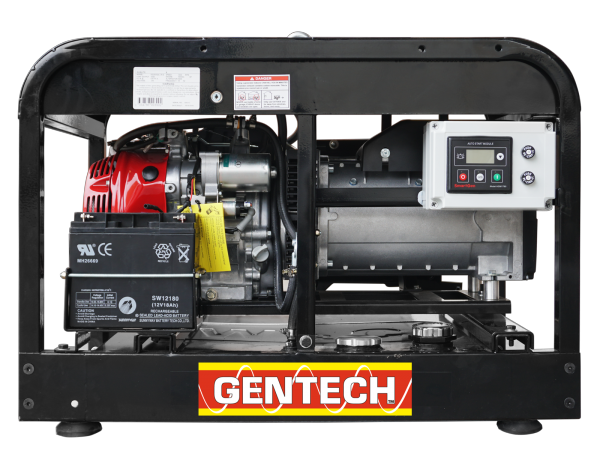
Find the control panelon your generator. It is usually near the engine or fuel tank. The panel holds important switches and wiring needed for the remote start connection. Check your generator’s manual for exact location and layout.
Installing The Remote Start Module
The remote start moduleneeds proper wiring to work well. Connect the wires to the generator’s control panelas shown in the manual. Match the color codeson the wires carefully to avoid mistakes. Use wire connectorsto secure all connections and prevent loose ends. Double-check each wire for a firm fit before moving on.
Mount the module in a dry, safe placenear the generator. Use screws or strong double-sided tapeto fix it securely. Keep the module away from heat, water, and moving parts. Proper mounting helps the module last longer and work without interruptions.
Test the setup by turning on the remote start. Check if the generator responds correctly. Look for any error lights or sounds. Ensure the wires stay in place during testing. Fix any issues before final use to keep everything safe and functional.
Credit: www.mygenerator.com.au
Setting Up The Mobile App
Start by downloading the correct appfor your generator model. Check your phone’s app store for availability.
After installation, open the app and create a new account. Use a valid email and strong password.
Once logged in, enable Bluetooth or Wi-Fi on your phone. This helps pair the app with your generator.
- Turn on the generator’s remote start mode.
- Follow app prompts to search for nearby devices.
- Select your generator from the list.
- Confirm pairing by entering a code if asked.
After pairing, the app will show your generator’s status. You can now start or stop it remotely.
Configuring Remote Start Settings
Customize the start and stop controlsto match your needs. Choose how long the generator runs each time. Set delays for safety and fuel saving. Adjust controls to start the generator with a simple app tap.
Set alerts and notificationsto stay informed. Get messages when the generator starts or stops. Receive warnings about low fuel or maintenance needs. Alerts help you act fast and keep your generator safe.
Schedule automatic startseasily. Pick the days and times for the generator to run. Use this feature to save energy and keep devices powered. The app makes it simple to plan ahead.
Troubleshooting Common Issues
Connection problemsoften happen due to weak Wi-Fi or Bluetooth signals. Move closer to the generator or router to improve signal strength. Restart both the generator and app to refresh the connection. Check if the app is updated to the latest version. Clear the app cache if it keeps crashing or freezing. Confirm the generator model supports remote start via the app.
App sync failurescan occur if the app and generator are not on the same network. Ensure both devices connect to the same Wi-Fi. Disable VPNs or firewalls that block communication. Log out and log back into the app. Re-pair the app with the generator following the instructions carefully.
Generator startup errorsmight result from low fuel or battery issues. Verify the generator has enough fuel and the battery is charged. Inspect wiring connections for damage or loose plugs. Reset the generator control panel to clear any fault codes. Consult the user manual for specific error codes and fixes.
Maintaining Your Remote Start System
Keep your remote start system working well with simple care. Regular software updatesfix bugs and add new features. Check for updates often in the app or on the manufacturer’s website.
Inspect the hardware parts like wires and connectors every few months. Look for loose connectionsor any damage. Clean the contacts gently to avoid dirt build-up.
- Store the remote in a dry, cool place to protect it from damage.
- Use the remote regularly to keep the battery healthy.
- Follow the user manual for safe handling and operation.
- Avoid dropping or exposing the remote to water.
- Replace batteries as soon as they run low.

Credit: westinghouseoutdoorpower.com

Credit: intelligentcontrols.io
Frequently Asked Questions
How Do I Connect A Generator Remote Start To An App?
To connect, first install the generator’s remote start module. Download the compatible app. Follow in-app instructions to pair the device via Bluetooth or Wi-Fi. Ensure both devices are nearby and connected to the internet during setup.
What Are The Benefits Of Using A Generator Remote Start App?
A remote start app allows easy generator control from anywhere. It offers convenience, quick start/stop functions, and real-time status updates. This helps monitor fuel levels, maintenance alerts, and ensures efficient generator management remotely.
Is My Generator Compatible With Remote Start App Controls?
Check your generator’s manual or manufacturer’s website for app compatibility. Most modern generators support remote start via specific modules and apps. Compatibility depends on the model, year, and remote start system installed.
Can I Control Multiple Generators From One App?
Yes, many apps support managing multiple generators simultaneously. You can monitor each unit’s status and control remote start/stop for each generator from a single interface. This is ideal for homes or businesses with multiple backup generators.
Conclusion
Connecting your generator’s remote start to an app is simple and useful. It saves time and lets you control power from anywhere. Follow the steps carefully, and test the connection well. Keep your app updated to avoid any issues. This setup helps you manage your generator with ease.
Enjoy the convenience of starting your generator remotely. Stay safe and ready during power outages.