Are you tired of unexpected power outages disrupting your day? Or maybe you’re just looking to ensure your backup generator is always ready when you need it most?
Understanding how to maintain your generator monitoring system is crucial for uninterrupted power supply and peace of mind. Imagine the confidence you’ll feel, knowing that your power source is reliable, no matter what. In this guide, you’ll discover straightforward steps to keep your generator monitoring system in tip-top shape.
You’ll learn how a little attention now can save you time and money down the line. Ready to empower yourself with the knowledge you need? Let’s dive in and make sure your power never skips a beat.

Credit: www.onesto-ep.com
Importance Of Generator Monitoring
Continuous monitoringof generators helps detect issues early. It keeps the generator running smoothly and prevents sudden failures. Monitoring systems track fuel levels, temperature, and battery health. This data helps technicians fix problems before they grow. It also ensures efficient fuel use, saving money. Alerts from the system warn of low oil pressureor overheating. This reduces downtime and repair costs.
Ignoring maintenance risks serious damage. Faulty generators may fail during power outages. Repairs after failure cost more and take longer. Overheated parts can cause fires or explosions. Batteries can die without warning. Neglect leads to higher fuel consumptionand poor performance.
Credit: canterpowersystems.com
Key Components To Monitor
Engine parametersinclude speed, oil pressure, and RPM. Monitoring these helps detect issues early. Low oil pressure or abnormal RPM can signal engine problems.
Battery healthis crucial for starting the generator. Check voltage and charge levels often. A weak battery can cause startup failure.
Fuel levelsmust be tracked to avoid unexpected shutdowns. Keep the tank filled to ensure continuous operation.
Temperature and pressuresensors prevent overheating and damage. Watch for spikes that could mean cooling system failure.
Routine Inspection Practices
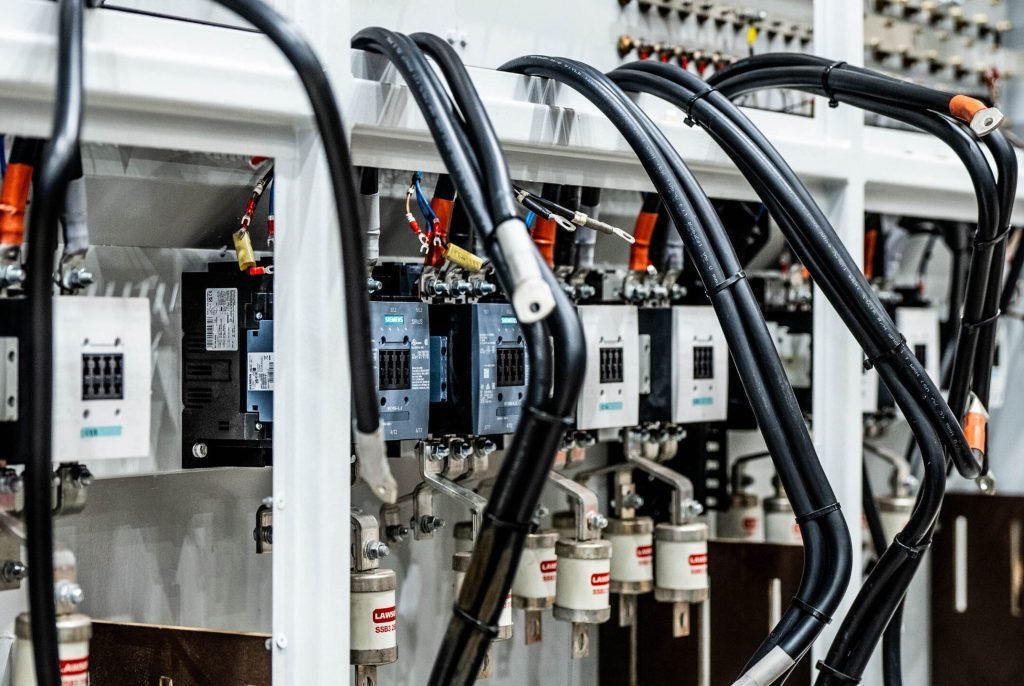
Visual checkshelp find damage or dirt on the system parts. Look for loose wires, cracks, or corrosion. Clean any dust or grime to keep sensors working well. Make sure the control panel screen is clear and easy to read.
Sensor calibrationkeeps readings accurate. Sensors may drift over time, causing wrong data. Use a standard tool to check sensor output. Adjust settings to match the known values. Regular calibration avoids false alarms and system errors.
Alarm system testingconfirms alerts work properly. Test each alarm by triggering conditions like low fuel or high temperature. Check sound and light signals for clear warnings. Fix any alarm that does not activate or is too weak.

Credit: bernini-design.com
Software And Firmware Updates
Software and firmware updateskeep the generator monitoring system running smoothly. These updates fix bugs, improve security, and add new features. Without updates, the system may miss important alerts or work slower.
Plan updates to happen during low usage times. This avoids disrupting important monitoring tasks. Regular checks for new updates help keep the system current and safe.
- Check for updates weekly or monthly.
- Schedule updates at night or during off-peak hours.
- Backup system data before updating to avoid data loss.
- Test updates on a small scale before full deployment.
- Keep a log of update dates and version numbers.
Data Analysis And Reporting
Performance datashows how well the generator works. It includes hours run, fuel use, and load levels. Reading this data helps spot problems early. Charts and graphs make the data easy to see and understand.
Set thresholdsto mark safe and unsafe levels. For example, high temperature or low oil pressure can trigger alerts. These alerts warn about possible failuresso fixes happen fast.
- Choose limits based on manufacturer advice.
- Use alerts to get instant notifications.
- Review thresholds regularly and update as needed.
- Keep alert messages clear and simple.
Troubleshooting Common Issues
Signal losscan happen due to weak connections or bad cables. Check all wiring and replace damaged parts. Keep devices away from strong interference sources like big motors or wireless gadgets. Restarting the system can sometimes restore lost signals quickly.
False alarmsoften occur because of sensor errors or wrong settings. Adjust alarm thresholds carefully to match real conditions. Clean sensors regularly to remove dust or dirt that might trigger false alerts. Testing the system after changes helps ensure alarms work correctly.
Hardware failuresmay include broken sensors, power issues, or damaged controllers. Inspect all parts for wear or damage. Replace faulty components promptly to avoid system downtime. Regular maintenance checks help detect problems before they cause failures.
Best Practices For System Security
Access controlis key to protect your generator monitoring system. Limit who can see and change settings. Use strong passwordsand change them often. Assign roles so only the right people have access.
Use two-factor authenticationto add an extra layer of security. This means users need a password and a code from their phone or email. Monitor user activity to catch any unusual actions quickly.
- Grant access only to trusted staff
- Use unique logins for each user
- Lock accounts after multiple failed login attempts
- Review access logs regularly
Training And Documentation
Staff training programshelp workers understand the generator monitoring system. Training should cover basic functions, alerts, and troubleshooting. Regular sessions keep knowledge fresh and skills sharp. Simple guides or videos work well for learning. Clear instructions reduce errors and downtime. Everyone should know how to respond to alarms quickly.
Maintaining logs and recordsis key for tracking system performance. Logs show when checks were done and any problems found. Use a clear format to record date, time, and actions taken. Keep records safe and easy to access. These notes help find patterns and plan repairs early. Consistent logging improves system reliability and safety.
Frequently Asked Questions
How Often Should I Inspect My Generator Monitoring System?
Regular inspection is crucial. Check your generator monitoring system at least once a month. This helps detect issues early and ensures consistent performance.
What Are Key Maintenance Tasks For Generator Monitoring?
Important tasks include checking sensors, updating software, and verifying alarms. Keep connections clean and secure to avoid false readings and failures.
Can Software Updates Improve Generator Monitoring Efficiency?
Yes, software updates enhance system functionality, security, and accuracy. Always install the latest updates to benefit from improved features and bug fixes.
How Do I Troubleshoot Common Generator Monitoring Issues?
Start by checking power supply and sensor connections. Reset the system if needed, and consult the manual for specific error codes and solutions.
Conclusion
Regular checks keep your generator monitoring system reliable. Clean sensors and update software to avoid errors. Track performance daily to catch issues early. Simple steps save time and costly repairs later. Stay consistent with maintenance for long-term success. Keep your system running smoothly and safely every day.