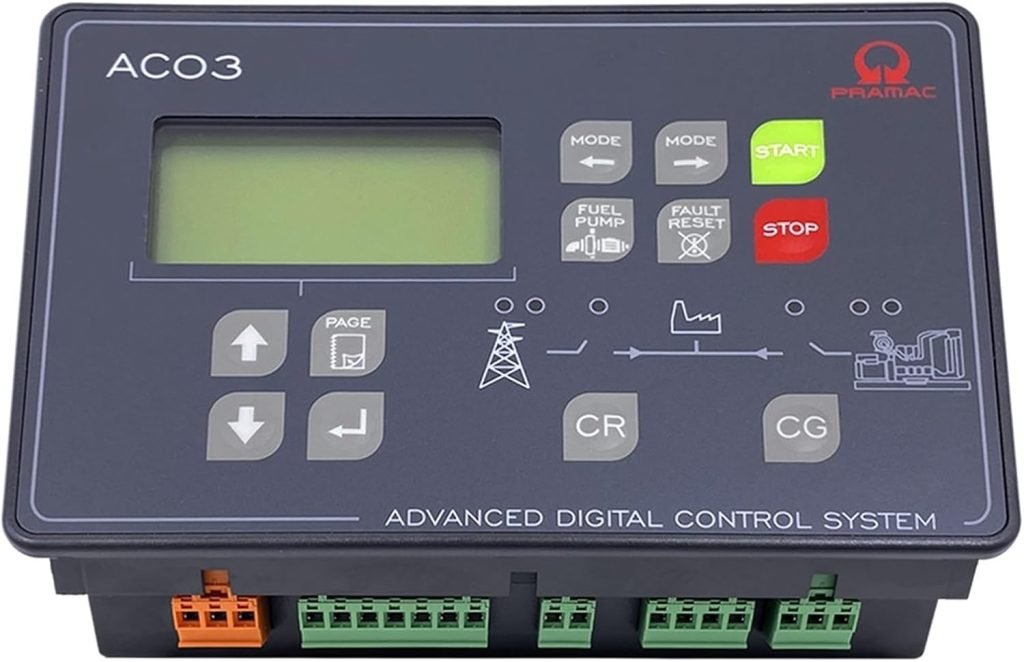
Are you struggling with your generator ATS controller and don’t know how to reset it? You’re not alone.
When your automatic transfer switch (ATS) controller acts up, it can leave you feeling stuck and unsure of what to do next. But here’s the good news: resetting your generator ATS controller is easier than you think. You’ll discover simple, step-by-step instructions that anyone can follow—no technical jargon, just clear guidance.
Keep reading, and you’ll have your generator back up and running in no time.
Generator Ats Controller Basics
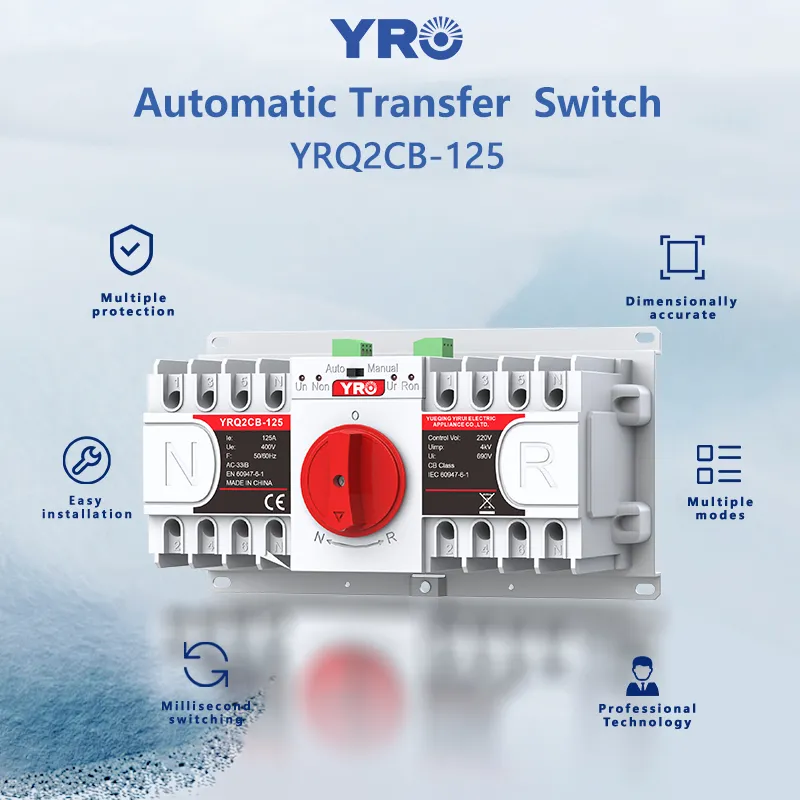
An ATS controllermanages the switch between the main power source and a generator. It ensures power stays on during an outage. The controller senses power loss and starts the generator automatically.
Common issues that may need a reset include:
- Power outagescausing the controller to lock up.
- Error codesappearing on the display.
- The generator not starting or stoppingat the right time.
- Communication faultsbetween the controller and generator.
- Overloadsor faults detected by the system.

Credit: www.ctmohio.com
Safety Precautions Before Reset
Always turn off all power sourcesbefore resetting the ATS controller. This prevents electrical shockand equipment damage. Disconnect the main power supply and the generator power supply.
Wait for a few minutes to let residual power drain from the system. This step ensures safety and avoids unexpected starts.
- Wear insulated gloves to protect against shocks.
- Use safety goggles to protect your eyes from sparks.
- Wear sturdy footwear to avoid slips and falls.
- Ensure your hands are dry before handling electrical parts.
Keep a fire extinguisher nearby in case of electrical fires. Work in a dry and well-lit area to reduce risks.
Tools Needed For Reset
Before resetting a generator ATS controller, gather the essential tools. These tools help ensure a safe and smooth process.
- Multimeter:Measures electrical values and verifies power.
- Screwdriver set:Needed to open the controller panel.
- Insulated gloves:Protect hands from electrical shocks.
- Flashlight:Helps see inside dim spaces.
- Owner’s manual:Provides specific reset instructions.
Some optional equipmentmight make the job easier:
- Voltage tester for quick checks.
- Replacement fuses in case any blow out.
- Clean cloth to wipe dust off components.
Step-by-step Reset Process
Open the generator ATS controller panel by locating the main access door. Use a key or screwdriver if needed. Be sure power is off before opening to stay safe.
To perform a manual reset, find the reset switch inside the panel. Press and hold the switch for a few seconds. Release and wait for the controller to reboot. This clears most simple errors.
- Locate the reset button on the controller face or inside the panel.
- Press the button firmly once.
- Hold for 3-5 seconds if no immediate response.
- Release and observe the display for reset confirmation.
Some controllers allow reset using software. Connect a laptop or device via USB or network cable. Open the ATS controller software interface. Find the reset option in the settings menu. Click it to reset the controller digitally.
Troubleshooting Reset Failures
Resetting a generator ATS controller may fail due to power issues or incorrect settings. Check connections and ensure the controller receives stable power before attempting a reset. Clear any error codes by following the device’s manual instructions carefully.
Common Reset Problems
Reset failuresoften happen due to power issues. Check if the generator has enough fueland the battery is charged. Sometimes, the ATS controller may not reset because of faulty wiringor a tripped breaker. Dirt or moisture inside the controller can also cause problems. Make sure the connectionsare clean and dry.
When To Call A Technician
- Reset button does not work after repeated tries
- Generator does not start even after reset
- Strange sounds or smells come from the controller
- Warning lights or error codes stay on
- Unclear or complex wiring issues
These signs show a need for professional help. A technician can safely check and fix the ATS controller.
Credit: www.yroenergy.com
Maintenance Tips To Avoid Future Resets
Regular checks help keep the ATS controllerworking well. Look for any signs of wear or damage. Check connections and wiring for tightness and cleanliness. Dirt or loose wires can cause problems. Test the system to see if it switches power smoothly. Spotting issues early saves time and money.
Keeping the controller’s firmware up to dateis key. Updates fix bugs and add new features. Check the manufacturer’s website often for updates. Follow their instructions to install new firmware safely. This helps the ATS controller run better and avoid resets.

Credit: forumelectrical.com
Frequently Asked Questions
How Do I Reset A Generator Ats Controller?
To reset a generator ATS controller, locate the reset button or switch. Press or toggle it according to the manufacturer’s instructions. This process clears any existing faults or errors, restoring the controller to its default state. Always consult your user manual for specific guidance related to your model.
Why Reset My Generator Ats Controller?
Resetting your generator ATS controller helps clear any faults and restore normal operation. It resolves minor issues and ensures optimal performance. Regular resets are part of essential maintenance to prevent unexpected shutdowns or malfunctions. Always follow manufacturer instructions for safe and effective resetting procedures.
Can Resetting The Ats Controller Fix Errors?
Yes, resetting the ATS controller can often fix minor errors and faults. By clearing error codes and refreshing system settings, it restores functionality. However, persistent issues may require professional inspection. Always consult your user manual for troubleshooting steps and consider seeking expert advice if problems persist.
How Often Should I Reset The Ats Controller?
Reset the ATS controller only when necessary, such as during faults or errors. Routine resets aren’t typically required unless specified by the manufacturer. Regular maintenance checks are crucial for optimal performance. Always refer to your user manual for specific recommendations and guidelines on resetting frequency.
Conclusion
Resetting your generator ATS controller is simple with clear steps. Follow the guide carefully to avoid mistakes. Always turn off power before starting the reset process. Check all connections to ensure safety and proper function. After resetting, test the system to confirm everything works well.
Regular maintenance helps keep your ATS controller reliable. Now, you can handle resets with confidence and ease. Stay safe and keep your generator ready for use.