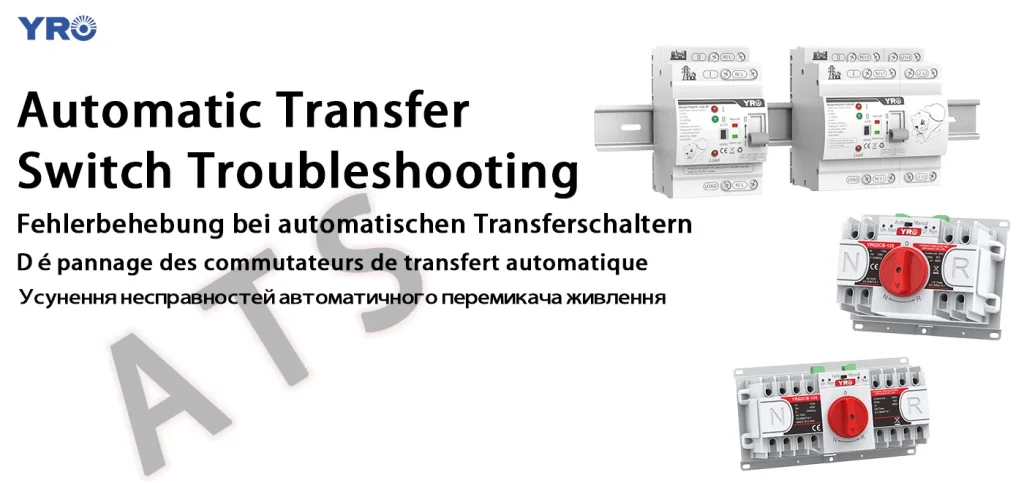
Are you facing issues with your automatic transfer switch (ATS) and unsure where to start? You’re not alone.
Many people find themselves puzzled when this crucial component of their electrical system doesn’t work as expected. The good news is, troubleshooting an ATS doesn’t have to be a daunting task. With the right guidance, you can identify and fix the problem efficiently.
You’ll discover straightforward steps to diagnose and resolve common ATS issues. Whether you’re a seasoned technician or a curious homeowner, understanding these troubleshooting tips will empower you to keep your power systems running smoothly. Ready to master the art of troubleshooting your ATS? Let’s dive in!
Signs Of Automatic Transfer Switch Issues
Signsof Automatic Transfer Switch (ATS) problems can affect your power supply. Common symptoms include delays in switchingbetween power sources and unusual noisesduring operation. You might notice the ATS fails to transferpower when the main source goes out.
Other issues are flickering lightsor power interruptionsthat happen often. The switch might also show error codesor have a burnt smell. These signs mean the ATS needs attention to avoid power loss.
| Symptom | Possible Impact |
|---|---|
| Delay in switching | Power interruptions, equipment damage |
| Unusual noises | Mechanical failure risk |
| Failure to transfer power | Loss of backup power |
| Flickering lights | Unstable power supply |
| Error codes or warnings | System malfunction |
| Burnt smell | Electrical damage |
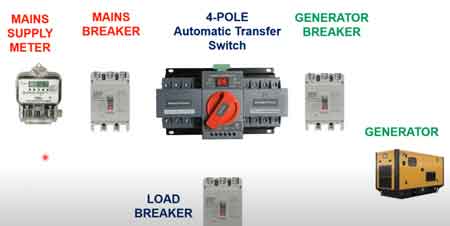
Credit: electricityforum.com
Tools Needed For Troubleshooting
Essential diagnostic equipmenthelps find issues quickly. A multimeterchecks voltage, current, and resistance. Use a voltage testerto verify power presence. Clamp metersmeasure current without disconnecting wires. Insulation testersdetect damaged cables. A circuit analyzercan test transfer switch functions. Keep a flashlighthandy to see in dark spaces. Carry wire strippersand screwdriversfor small fixes.
Safety gear protects from electrical hazards. Always wear insulated glovesand eye protection. Use rubber-soled shoesto avoid shock. Keep a fire extinguishernearby for emergencies. Make sure tools have insulated handles. Follow all safety rules. Stay alert and work slowly.
Step-by-step Troubleshooting Process
Start by looking for any visible damageon the automatic transfer switch. Check for burn marks, loose wires, or corrosion. Make sure all parts are cleanand dry. A simple visual check can save time later.
Test the power sourcesconnected to the switch. Use a multimeterto check voltage levels on both the main supplyand backup generator. Confirm that power is available and within normal range.
Inspect the control circuitsfor proper function. Look at the control boardand wiring. Ensure all connections are tight. Check for blown fuses or tripped breakers which may stop the switch from working.
Verify the switch operationby manually moving it if safe. Listen for clicksor movement. Confirm that the switch transfers power smoothly between sources. If it sticks or fails to move, the switch may need repair or replacement.
Common Problems And Solutions
Troubleshooting an automatic transfer switch often involves checking power supply and control wiring. Common issues include failure to switch or delayed response, usually fixed by inspecting connections and testing the switch’s components. Regular maintenance helps prevent most problems before they start.
Mechanical Failures
Sticking contactscan stop the switch from working. Dirt or rust may cause this. Cleaning or replacing parts helps. Springs may lose tension and fail to move parts. Check for wear and replace springs if needed. Loose or broken bolts cause poor connection. Tighten or change bolts to fix this issue.
Electrical Issues
Broken wires or loose connections stop power flow. Check all wires and tighten connections. Blown fuses block current; replace them carefully. Faulty circuit breakers may trip often. Test and swap them if they fail. Bad sensors give wrong readings. Inspect and change faulty sensors for proper operation.
Control System Errors
Wrong settings cause the switch to act oddly. Verify and reset controls to correct values. Software bugs may cause errors. Update or reload the control software. Faulty control boards lead to malfunctions. Test and replace control boards when needed. Check for power supply issues to controls.
Maintenance Tips To Prevent Failures
A routine inspection schedulehelps catch small problems early. Check the switch at least once every three months. Look for signs of wear or damage. Test the operation to ensure smooth switching between power sources. Record all inspections for future reference.
Cleaning and lubrication keep parts moving freely. Remove dust and dirt from all components. Use a soft cloth and mild cleaner. Lubricate moving parts with the correct oil or grease. Avoid over-lubrication, which can attract more dirt.
Software and firmware updates improve switch performance. Check for updates from the manufacturer regularly. Install updates carefully to avoid errors. Updated software can fix bugs and add new features.

Credit: forumelectrical.com
When To Call A Professional
Complex repairs often need special tools and skills. These tasks can include fixing wiring, replacing parts, or calibrating switches. Mistakes may cause more damage or power issues. Safety risks increase when dealing with electrical components. Professionals know how to work safely and avoid shocks or fires.
Some repairs can void your warranty if done incorrectly. Warranty and support often require authorized service. Experts can keep your warranty valid and provide proper documentation. Calling a professional helps protect your investment and ensures the switch works correctly.
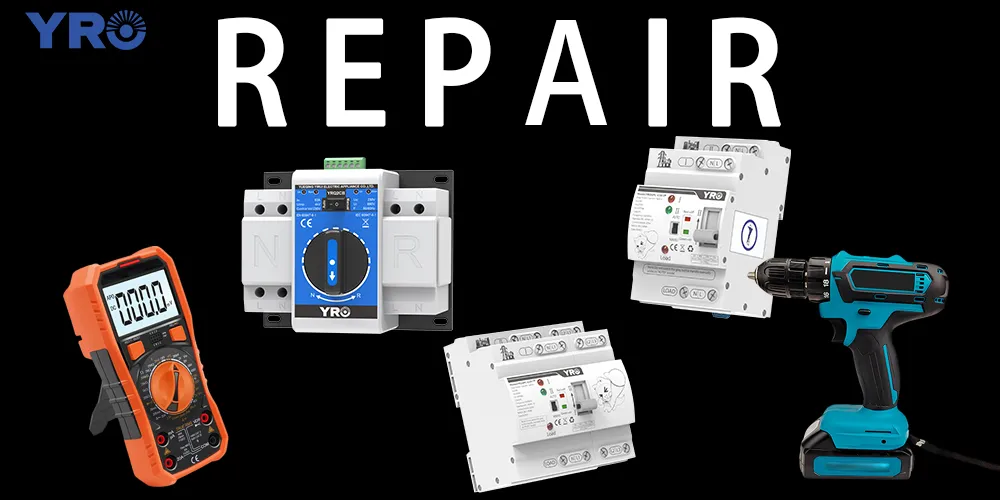
Credit: www.yroele.com
Frequently Asked Questions
What Is An Automatic Transfer Switch (ats)?
An ATS automatically switches power between the main source and backup generator. It ensures continuous electricity during outages. It monitors power quality and triggers transfer when needed. ATS improves reliability in homes and businesses, preventing downtime and equipment damage.
How Do I Test An Automatic Transfer Switch?
To test an ATS, simulate a power failure by turning off the main power. Observe if the ATS switches to the backup generator smoothly. Check for any delays or failures. Regular testing ensures the ATS functions correctly during real outages.
Why Is My Automatic Transfer Switch Not Switching?
An ATS may fail to switch due to power source issues, faulty wiring, or mechanical problems. Check battery levels, circuit breakers, and connections. Inspect the control panel for error codes. Regular maintenance and inspections prevent switching failures.
How Often Should I Maintain My Ats?
Maintenance is recommended at least twice a year. Regular checks include cleaning, lubrication, and inspection of electrical components. Proper maintenance extends ATS life and ensures reliable operation. Follow manufacturer guidelines for specific maintenance tasks.
Conclusion
Troubleshooting an automatic transfer switch becomes easier with clear steps. Always check power sources and connections first. Keep the switch clean and dry to avoid faults. Test regularly to catch issues early and stay safe. Remember, simple checks often solve common problems quickly.
Staying calm and patient helps during troubleshooting. This approach saves time and prevents bigger failures. Trust your process and maintain your equipment well.