Imagine this: you’re ready to power up your device with your generator, but nothing happens. Frustrating, right?
When your generator cable isn’t powering your device, it can disrupt your plans and cause unnecessary stress. But don’t worry—you’re not alone, and there are simple steps you can take to identify and fix the problem. In this guide, you’ll discover practical solutions to get your power flowing smoothly again.
Whether you’re dealing with a faulty connection or a more complex issue, we’ve got you covered. Let’s dive in and troubleshoot together so you can get back to what matters most.
Common Causes Of Cable Power Issues
Damaged or frayed cablescan stop electricity from flowing. Check for cuts, tears, or worn spots. Even small damage can cause a power break.
Loose connectionsat plugs or sockets often cause power loss. Make sure all plugs fit tightly and wires are secure. A loose wire can stop power.
Faulty generator outletsmight not send power correctly. Test the outlet with another device to see if it works. Sometimes outlets need repair or replacement.
Using the incorrect cable typeis a common issue. Some cables cannot handle the generator’s power. Always use cables made for your generator’s voltage and current.

Credit: casproservice.com
Safety Precautions Before Troubleshooting
Turn off the generator before starting any checks. This stops the risk of electric shock or injury. Always wear protective gear like gloves and safety glasses. These protect your hands and eyes from sparks or sharp objects.
Avoid working in wet conditions to lower the chance of electric shock. Water and electricity do not mix well. Make sure the area is dry and safe before you begin troubleshooting.
Step-by-step Troubleshooting Guide
Start by looking closely at the generator cable. Check for any cuts, frays, or exposed wires. Damaged cables can stop power flow and cause safety risks. Do not use cables with visible damage.
Next, make sure both ends of the cable are securely connected. Loose connections can block power. Check the plug on the generator and the device side. Push them in firmly.
A multimetercan help test the cable’s continuity. Set it to measure resistance. A low reading means the cable is good. If it shows no reading, the cable might be broken inside.
Check the generator’s output voltageto confirm it is working. Use a voltmeter or multimeter. The voltage should match the generator’s rating. If there is no voltage, the problem is with the generator.
Try using a different cable or device. This helps find if the cable or the device is faulty. If the new cable works, replace the old one. If the new device works, the first device may be broken.
Quick Fixes To Restore Power
Check all cable connections carefully. Tighten any loose connectionsto ensure power flows correctly. Loose cables often cause devices not to work.
Look for any visible signs of damage along the cable. Replace damaged cable sectionsto avoid power loss or shorts. A broken cable can stop electricity from reaching your device.
Dirty or corroded connectors block power. Use a soft brush or cloth to clean corroded connectors. Clean connectors help maintain a strong electrical link.
Inspect the generator’s circuit breakers. Reset the circuit breakersby turning them off and on. This can fix power interruptions caused by overloads or trips.
Preventive Measures For Cable Issues
Regularly check cables for cuts, frays, or loose connections. Damaged cables can stop power flow. Look closely at cable ends and plugs for dirt or rust. Clean or replace as needed.
Store cables in a dry, cool placeaway from direct sunlight. Avoid sharp bends or heavy objects on cables. Proper storage helps cables last longer and work safely.
Use cables that match your generator’s power rating. Using wrong cables can cause power failure or damage. Check cable thickness and length to fit your generator and device.
Keep the generator clean and run routine checks. Look for signs of wear or loose parts. Well-maintained generators deliver steady power to connected devices.

Credit: www.youtube.com
When To Call A Professional
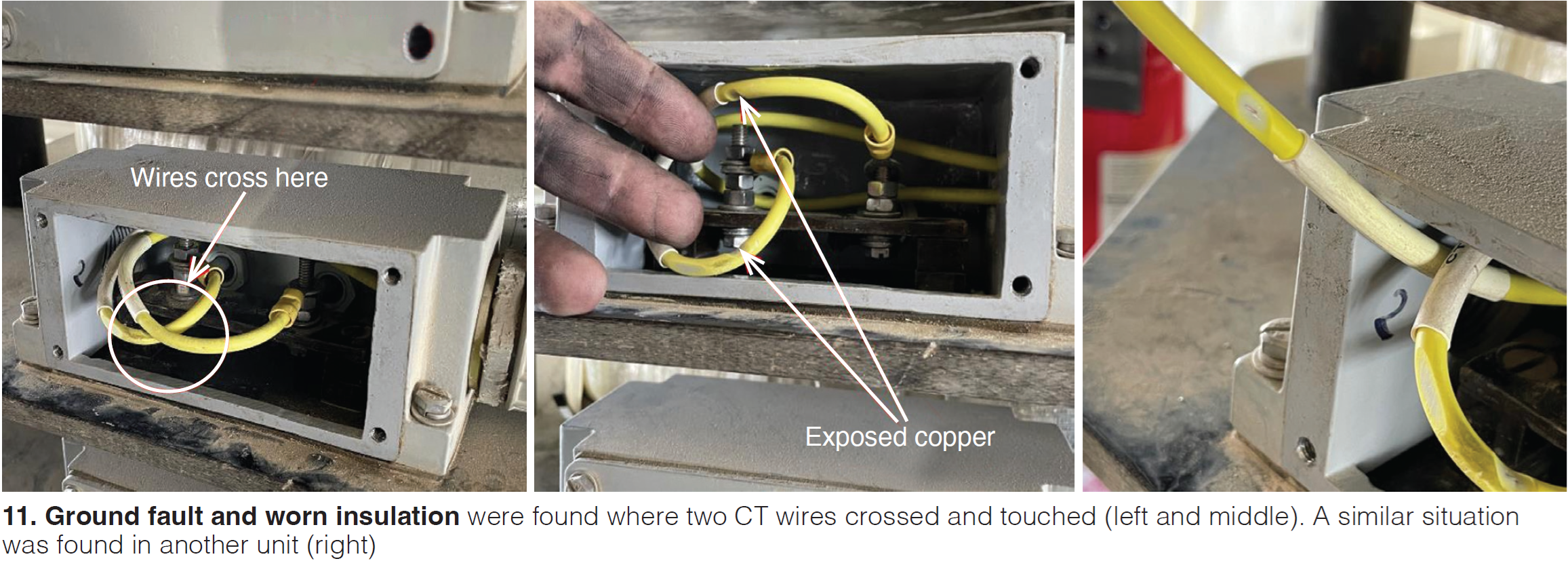
Persistent power failuresoften mean the problem is bigger than a loose cable. Repeated outages can harm devices and may signal wiring or generator issues. Calling a professional helps find the root cause quickly. Complex wiring problemsneed expert knowledge. Faulty or tangled wires can be dangerous and hard to fix without skill. An expert can check the system and fix errors safely. Generator malfunction signsinclude strange noises, smoke, or failure to start. These signs point to internal issues that require special tools and know-how. Ignoring them might lead to bigger damage or safety risks.
Credit: www.ccj-online.com
Frequently Asked Questions
Why Is My Generator Cable Not Powering The Device?
Check the cable for damage or loose connections. Ensure the generator is running properly and supplying power. Test with another cable to rule out cable faults.
How Do I Test A Generator Cable For Power?
Use a multimeter to check voltage across the cable ends. Ensure the generator is on during testing. A reading matching the generator output means the cable works.
What Causes Generator Cable Connection Failures?
Common causes include frayed wires, corrosion at connectors, or loose plugs. Exposure to weather and improper storage can also damage cables.
Can A Faulty Device Cause Generator Cable Issues?
Yes, if the device has internal faults, it may appear as a cable power problem. Test the device with another power source to confirm.
Conclusion
Troubleshooting a generator cable that won’t power a device can be simple. Check the cable for damage or loose connections first. Test the power source and device separately to find the problem. Use a multimeter to check for electrical flow.
Keep safety in mind during all steps. With patience and careful checks, you can fix most issues. Stay calm and follow these tips to get power back quickly. Don’t ignore small signs; they often point to the real problem.