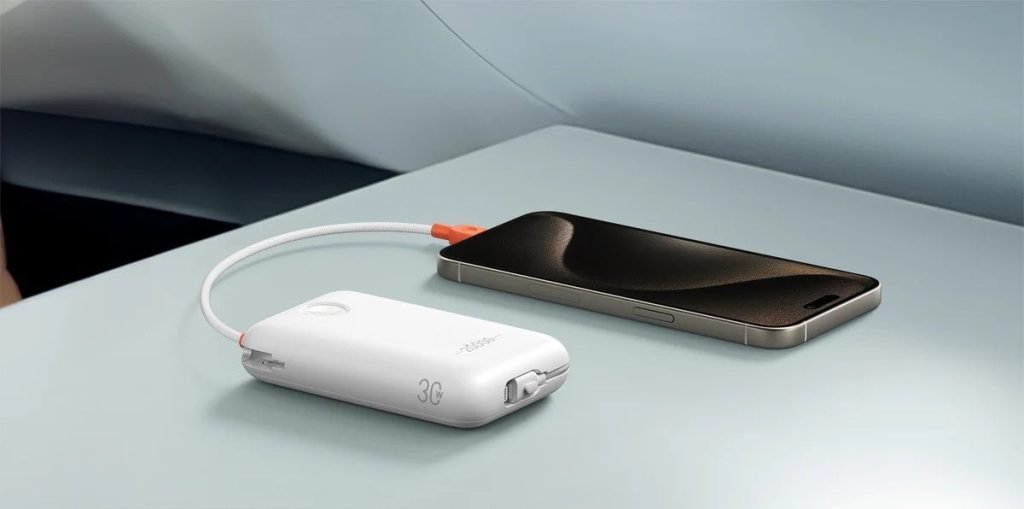
Imagine this: you’re on the go, your phone is running low on battery, and your trusty power bank is supposed to come to the rescue. But as you reach for it, you notice it’s unusually hot.
Suddenly, a sense of worry sets in. You wonder, “Is this normal? Is it safe to use? ” The truth is, a power bank that gets hot can be alarming, and understanding what to do in this situation is crucial for your safety and your device’s longevity.
This article will guide you through the steps to take if your power bank overheats, helping you keep your gadgets safe and your mind at ease. Stick around, because knowing how to handle this common issue can save you from potential hazards and ensure your devices stay powered up without a hitch.

Credit: www.amazon.com
Identifying Overheating Signs
Power banks can get hot. This is a sign of trouble. Feel the surface. Is it too warm? Check for strange smells. Burning smells are bad. Listen closely. Is there a hissing sound? That’s not normal.
Look at the power bank. Are there any bulges? Swelling is dangerous. Check the charge speed. Is it slower than usual? Slow charging can mean overheating. Be careful.
Follow these steps. Keep an eye on your power bank. Stay safe and prevent damage.

Credit: www.reddit.com
Immediate Actions To Take
Unplug the power bank immediately to prevent overheating damage. Place it in a cool, ventilated area to help it cool down. Avoid using it until the temperature returns to normal.
Unplugging Safely
First, turn off the power bank. This stops the flow of power. Next, carefully unplug any connected devices. Hold the plug, not the cord. Avoid touching the power bank directly if it’s too hot. Place it on a cool surface. Keep it away from flammable materials. Ensure your hands are dry. Wet hands can be risky. Wait before handling further.
Cooling Down The Device
Move the power bank to a cooler location. This helps it cool faster. Avoid direct sunlight or hot spots. Check the environment around it. Use a fan if available. Do not use water to cool it. Water can damage electronics. Monitor the power bank’s temperature. Feel the sides gently. Ensure it cools down. Patience is key. Safety comes first.
Checking For Damage
Check the power bank for any cracksor dents. These can cause overheating. Look at the charging ports. Make sure they are not bent or dirty. A dirty port may cause poor connection. Feel the surface of the power bank. It should be smooth, not sticky. Sticky spots can mean leaking or damage. Smell the power bank. A burnt smell is a bad sign. It may mean something inside is broken.
Connect the power bank to a device. See if it charges properly. Use a known good cable for testing. Watch the device’s charging indicator. It should show a steady charge. If it stops or fluctuates, there’s a problem. Listen for any strange sounds during charging. Sounds like buzzing or crackling are not good. Try charging the power bank itself. Note how long it takes to charge. If it takes too long, it might be faulty.
Proper Storage Tips
Keep power banks in a cool, dry place away from direct sunlight to prevent overheating. Disconnect immediately if it gets hot and let it cool down before using again. Regularly check for damage or swelling to ensure safety.
Choosing The Right Environment
Pick a cool and dry place for your power bank. Avoid damp areas. Moisture can harm the battery. Keep it away from any heat sources. High temperatures can damage the power bank. Always ensure the surface is flat and stable. This prevents accidental falls or damage. Store it in a soft pouch for extra protection.
Avoiding Direct Sunlight
Direct sunlight can heat up your power bank. It can lead to overheating. Use a shaded area instead. Shade keeps the power bank cool. Avoid placing it near windows. Sunlight through glass can be strong. Use a bag or cover when outdoors. This helps block sunlight. Always check the temperature regularly.
Long-term Maintenance
Power banks can overheat due to overcharging or poor ventilation. Disconnect it immediately and let it cool down. Avoid using it until the temperature returns to normal to prevent damage or hazards.
Regular Cleaning
Keep your power bank clean to ensure it works well. Dust and dirt can block the ports. Use a soft cloth to wipe it often. Be gentle when cleaning the ports. Ensure no debris stays inside. This helps maintain good contact for charging.
Monitoring Performance
Check how your power bank charges over time. Notice if it takes longer than usual. This could mean it’s getting old. Look for signs like swelling or strange smells. If these appear, stop using it. Keep track of how often you use it. This helps predict its lifespan.

Credit: www.amazon.com
When To Seek Professional Help
A power bank getting hot may signal a serious issue. Contact a professional if it continues to overheat. This prevents potential damage or safety hazards.
Recognizing Persistent Issues
If a power bank gets hot often, it may be a problem. Heat can damage the battery inside. Watch for signs like strange smells or smoke. These signs mean something is wrong. Never ignore them. Safety is important. A hot power bank is not safe to use. Protect yourself and your gadgets. Stop using it right away. Let it cool down in a safe place.
Consulting A Technician
Find a qualified technician for help. They know how to fix power banks. They have the right tools and skills. Do not try to fix it yourself. It can be dangerous. Technicians can check for faults and repair them. They make sure everything is safe. Ensure the technician is trusted. Ask for recommendations if unsure. Fixing it soon can prevent bigger issues later.
Preventive Measures
Place the power bank on a cool surface to help dissipate heat. Disconnect it from any device and stop charging. Check for visible damage or swelling, then consult the manufacturer’s guidelines for safety.
Using Compatible Chargers
Always use chargers that match the power bank’s specifications. Incorrect chargers can cause overheating. Check the charger label for the right voltage and current. This helps keep the power bank safe and cool. Different chargers may harm your device.
Avoiding Overcharging
Don’t leave your power bank plugged in after it’s full. Overcharging can make it too hot. Unplug it once the light turns green or the indicator shows full. This keeps your power bank healthy and safe. Regularly check the charge level to avoid problems.
Frequently Asked Questions
Is It Normal For A Power Bank To Get Hot?
A power bank can get slightly warm during charging or discharging. Excessive heat is not normal. Ensure it’s used properly and kept in a ventilated area. If it gets too hot, unplug it immediately and let it cool down. Regular overheating might indicate a faulty device.
How Do You Cool Down A Powerbank?
Place the powerbank in a cool, dry place away from direct sunlight. Stop charging and using it temporarily. Ensure proper ventilation around the device. Avoid covering it with materials that trap heat. Regularly monitor its temperature to prevent overheating.
What Causes A Power Bank To Catch Fire?
A power bank can catch fire due to overheating, manufacturing defects, or physical damage. Using incompatible chargers or exposing it to extreme temperatures can also cause fires. Regularly inspect for signs of swelling or damage to prevent hazards. Always follow manufacturer guidelines for safe usage.
How To Know If A Power Bank Is Damaged?
Check for slow charging, overheating, or bulging. Ensure the power bank holds a charge. Inspect for physical damage.
Conclusion
A hot power bank can be worrying. Safety must always come first. Disconnect it immediately. Allow it to cool down before using again. Avoid placing it in hot areas. Regularly check for damage or swelling. Consider replacing if issues persist.
Always follow the manufacturer’s guidelines. Proper care ensures longer battery life. Stay informed and keep your devices safe. Being cautious helps prevent accidents. Prioritize safety with every charge.