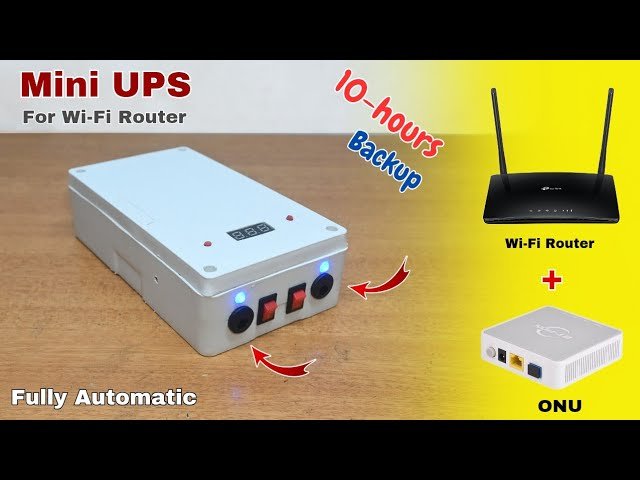
Imagine you’re in the middle of an important video call or streaming your favorite show, and suddenly, the power goes out. Frustrating, right?
But what if there was a way to keep your Wi-Fi running smoothly despite power interruptions? That’s where a UPS (Uninterruptible Power Supply) comes into play. You might be wondering: Can you run a Wi-Fi router on a UPS? The answer is not only intriguing but potentially life-changing for your internet experience.
Picture yourself enjoying uninterrupted connectivity even during power outages, ensuring your work, entertainment, and communication remain seamless. You’ll discover the ins and outs of using a UPS with your Wi-Fi router, including the benefits, setup tips, and how it can transform your digital life. Let’s dive into the possibilities and empower you to take control of your connectivity like never before.
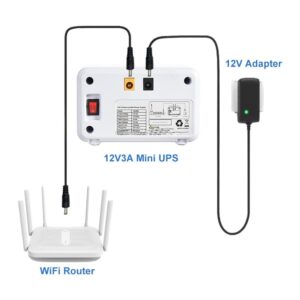
Credit: www.upspower-supply.com
Why Use A Ups For Your Wifi Router
Ensure continuous internet during power outages by using a UPS for your WiFi router. It provides backup power, keeping your connection stable and devices online even when electricity fails.
Benefits Of Ups
A UPS helps keep your internet on during power cuts. It protects your router from power surges. This keeps your router safe. A UPS can extend your router’s life.
Protection Against Power Surges
Power surges can damage electronics. A UPS shields your router from these surges. This protection is essential for stable internet. Surges can make your router fail.
Uninterrupted Internet Connection
Power cuts disrupt your internet. A UPS keeps your internet running. This is useful for important online tasks. Stay connected even during power outages.
Understanding Ups Types
A Line-Interactive UPS is like a guard for your devices. It helps when power goes out. It can handle small power changes. This type has a built-in battery. It gives your WiFi router a chance to stay on. This UPS is smart and fixes small power problems. It is good for home use. It keeps your internet running without a hitch.
An Online UPS is strong and reliable. It gives power without any breaks. It is always on and ready. This UPS type is great for important places. It protects devices from all power problems. Your router stays safe with an Online UPS. It is a little more costly. But it offers the best protection.
A Standby UPS is simple and easy. It waits for power to go out. Then, it quickly turns on. This type is best for short power outages. It can keep your router on for a while. It is usually cheaper than others. But, it might not handle big power issues. Still, it can be handy for basic needs.
Power Requirements Of Wifi Routers
Running a WiFi router on a UPS is possible and beneficial. It ensures continuous internet during power outages, keeping your devices connected. Most routers have low power needs, making them compatible with many UPS units.
Typical Power Consumption
Wifi routers use very little power. Most routers need about 5 to 12 watts. This is like a small light bulb. Power can change with more features. Some routers have extra antennas or better speed. These might use more power. But still, they use less than 20 watts. Always check your router’s manual for details.
Voltage And Wattage Considerations
Routers need the right voltage to work. Most routers use 12 volts. Some might use 9 or even 5 volts. Wattage tells how much power it uses. Make sure your UPS matches these numbers. This keeps your router safe. Using wrong voltage can harm your router. Always use the correct power supply.
Choosing The Right Ups For Your Router
Running a WiFi router on a UPS ensures internet access during power outages. Choose a UPS with suitable capacity and output. This keeps your router powered and your connection stable.
Capacity And Runtime
A UPS should have enough capacityto support your router’s power needs. Check the router’s wattage. Ensure the UPS provides enough runtimefor your needs. Longer runtime means more time to stay online during power cuts. Look for UPS with at least 30 minutes runtime.
Compatibility With Router Models
Not all UPS devices support every router model. Check if the UPS is compatiblewith your router. Some UPS devices come with multiple outletsand plug types. Make sure they match your router’s requirements.
Battery Type And Life
UPS devices use different battery types. Some have lithium-ion batteries, others use lead-acid. Lithium-ionbatteries last longer and are more efficient. Check battery life expectancy. Longer battery life means fewer replacements.
Setting Up Your Router With A Ups
Running a WiFi router on a UPS ensures uninterrupted internet during power outages. It protects your connection and keeps devices online. Set up is simple and enhances reliability in unstable power situations.
Installation Steps
Unpack the UPSand place it near your router. Connect the power cable of the router to the UPS. Plug the UPS into a wall socket. Turn on the UPS and router. Ensure the UPS is fully charged. Check if the router connects to the internet. Adjust the settings if needed. Use the UPS during power outages.
Maintenance Tips
- Check the UPS battery regularly.
- Keep the UPS clean and dust-free.
- Do not overload the UPS.
- Replace the battery every few years.
- Test the UPS periodically for performance.

Credit: www.youtube.com
Troubleshooting Common Issues
Powering a WiFi router with a UPS ensures uninterrupted internet during outages. Choose a UPS that supports your router’s voltage. Proper setup can prevent connectivity issues and keep devices online.
Power Outage Scenarios
Power outages can affect your wifi router. A UPS can help here. It keeps the router running during outages. Check the UPS battery regularly. Make sure it’s charged. If the battery is low, replace it. Test your UPS monthly for best results. Avoid plugging many devices into one UPS. This ensures longer battery life.
Overloading Problems
Overloading can cause issues with your wifi router. Too many devices can slow it down. Limit the number of devices connected. Check if the router is overheating. Keep it in a cool place. Ensure the UPS is not overloaded. Avoid plugging in large appliances. This keeps the router running smoothly.
Cost Considerations
Powering a WiFi router with a UPS can save costs on internet downtime. Consider initial investment and battery replacement expenses. Compare these with potential losses from internet interruptions to make an informed decision.
Initial Investment
Buying a UPS for your wifi routercan be costly. Quality UPS devices range from $50 to $200. Higher-priced models offer more battery life. Choose a model that fits your budget and needs. Some brands offer special features. These can increase the price. Make sure the UPS is compatible with your router. This ensures smooth operation.
Long-term Savings
Using a UPS can save money over time. It protects your router during power outages. This reduces the risk of damage. Replacing a damaged router can be expensive. A UPS can also save on repair costs. It keeps your internet running during power cuts. This can save you data costs on mobile plans. Overall, a UPS can be a wise investment for your home network.
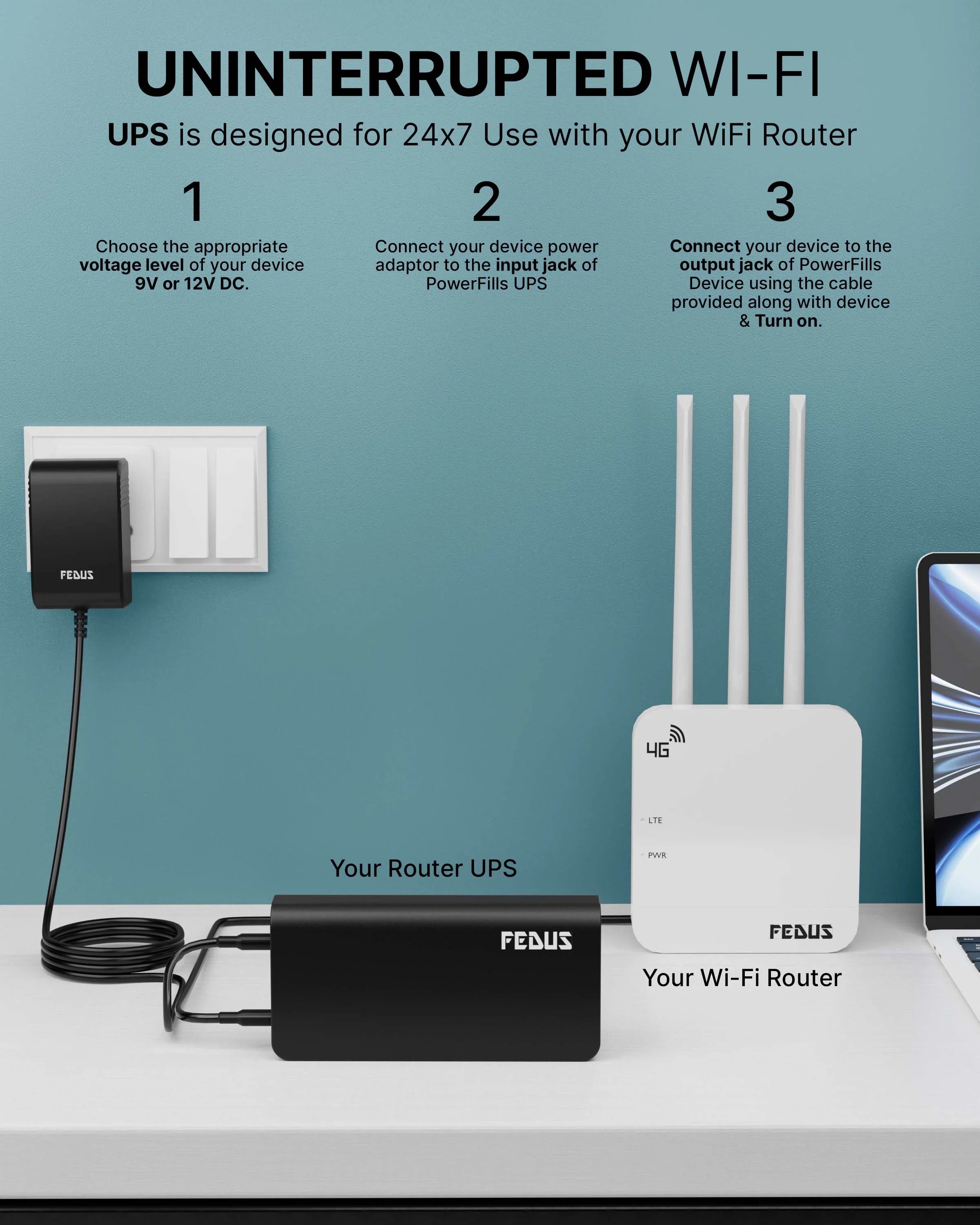
Credit: www.fedus.in
Frequently Asked Questions
Can An Ups Power A Wi-fi Router?
Yes, an UPS can power a Wi-Fi router during outages. Ensure the UPS has compatible voltage and wattage. Keep your internet connection stable and uninterrupted by choosing a UPS with sufficient battery capacity. Regularly check and maintain your UPS for optimal performance.
Should I Plug My Router Into An Ups?
Plugging your router into an UPS ensures uninterrupted internet during power outages. It protects against electrical surges and maintains connectivity. An UPS can prevent data loss and equipment damage. Ensure your UPS can handle the router’s power requirements for optimal performance and reliability.
What Size Ups Do I Need For My Wi-fi Router?
Choose a UPS with at least 600VA to support your Wi-Fi router for several hours during power outages. Calculate your router’s wattage, then select a UPS with a higher capacity to ensure optimal performance. Always consider future device additions when determining the UPS size.
How To Setup Ups For Router?
Connect your router to the UPS using the provided power cables. Ensure the UPS is charged and turned on. Check that the router receives power, verifying a stable internet connection. Position the UPS near the router for easy access and efficient power management.
Conclusion
Running a WiFi router on a UPS is practical. It ensures uninterrupted internet during power outages. Consider the UPS capacity before connecting. A small UPS suffices for short disruptions. Longer outages need a bigger UPS. This setup keeps your devices online.
Vital for remote work and smart homes. Always check router and UPS compatibility. Simple steps can keep you connected. So, investing in a UPS for your router is wise. It provides peace of mind and reliable connectivity. Stay connected, stay productive.