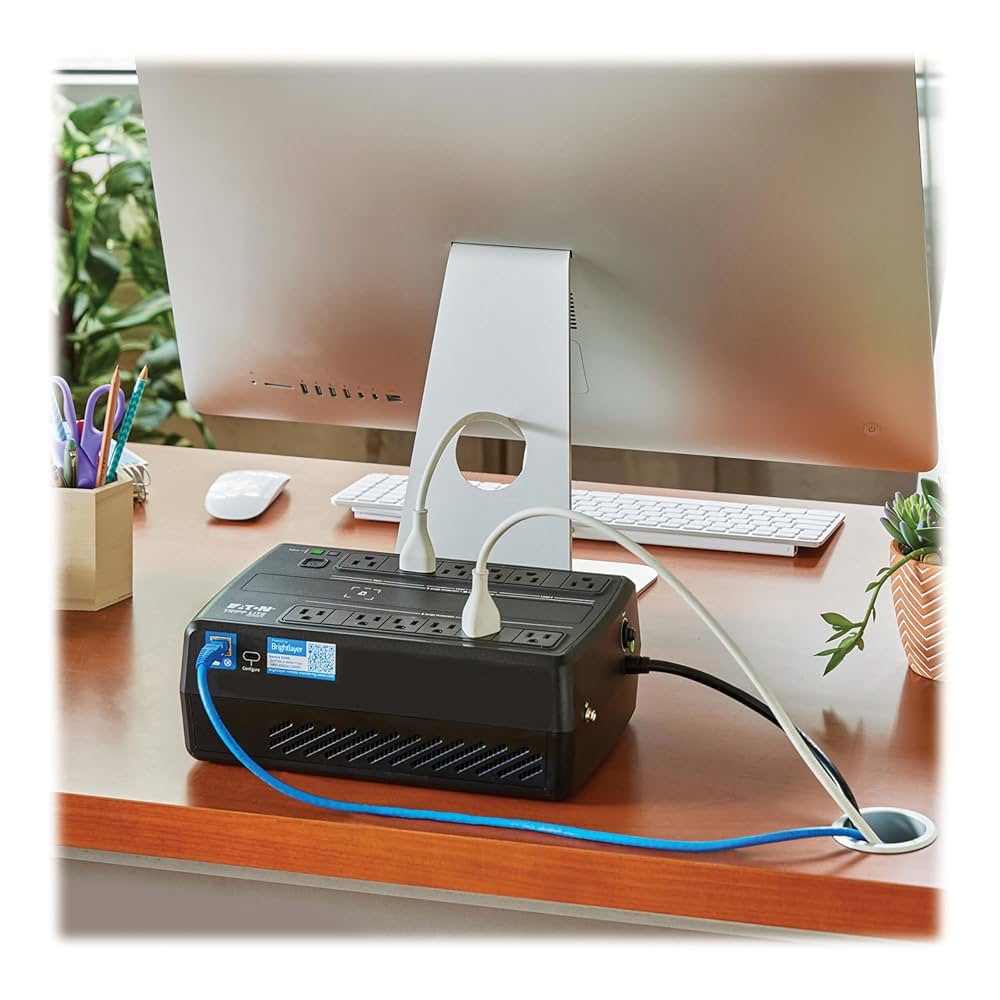
Imagine the peace of mind knowing your home backup system is always under your watchful eye, no matter where you are. Whether you’re on a beach vacation or just at the office, being able to monitor your home backup system remotely can save you from potential disasters.
You don’t have to be a tech expert to achieve this. With the right tools and a bit of guidance, you can ensure your home stays safe and sound. Are you ready to take control and protect your home effortlessly?
You’ll discover simple strategies to monitor your home backup system remotely, ensuring that you’re always just a click away from safeguarding your sanctuary. Dive in to learn how you can keep your home secure and stress-free.
Choosing The Right Backup System
Selecting a backup system that allows remote monitoring is crucial for modern homeowners. Look for systems with user-friendly apps and reliable alerts. These features ensure you can easily track and manage your backup status from anywhere.
Types Of Backup Systems
There are different types of backup systems. Cloud backup systems store data online. Local backup systems use physical storage like hard drives. Hybrid systems combine both cloud and local storage. Each type has its own advantages. Cloud systems are accessible from anywhere. Local systems offer faster recovery times. Hybrid systems provide the best of both worlds.
Key Features To Consider
Choose a backup system with easy remote monitoring. Look for systems with real-time alerts. Make sure it has automatic backups. Check for data encryption to keep files safe. User-friendly interfaces are important for easy use. Consider storage capacity for your needs. Check if it supports multiple devices. Compatibility with your existing setup is crucial. Reliable customer support can be very helpful.

Credit: www.reddit.com
Setting Up Remote Access
Monitor your home backup system remotely by setting up secure remote access. Use reliable software to check system status from anywhere. Ensure your backup is always running smoothly with regular remote checks.
Remote Access Tools
Choose a reliable remote access tool. Popular options include TeamViewer, AnyDesk, and Chrome Remote Desktop. Install the software on your computer. Ensure it’s compatible with your backup system. Configure the settings for remote access. Check if the tool supports mobile devices. This allows monitoring on the go. Test the connection to verify it works smoothly. Make adjustments if necessary.
Ensuring Security
Use strong passwords for remote access. Avoid using easy-to-guess words. Regularly update your passwords to stay safe. Enable two-factor authentication for extra security. This adds a layer of protection. Make sure your firewall is active. It prevents unauthorized access. Keep your software updated. This helps avoid security vulnerabilities. Secure your internet connection with a VPN. It keeps your data private.
Monitoring Software Options
Some tools help monitor your backup system. Nagios is a popular choice. It watches your system’s health. Zabbix offers real-time monitoring. It’s free and open-source. PRTG Network Monitor is easy to use. It provides many features. Each tool has strengths and weaknesses. Choose based on your needs and budget. Easy-to-use tools save time and effort. Read reviews before deciding. A good tool gives peace of mind.
Tools must integrate well with your backup system. Compatibility is key. Check if the tool supports your system. Integration should be smooth and seamless. Some tools offer plugins for better integration. Automation features help reduce manual work. Integrated systems notify you of issues quickly. This saves time in problem-solving. Ensure the tool can handle system updates. Regular updates keep your system safe.
Configuring Alerts And Notifications
Configuring alerts and notifications ensures you can monitor your home backup system remotely. Receive timely updates on system status. Stay informed about potential issues before they become problems.
Customizing Alerts
Set up alerts to know about problems quickly. Choose what events will send alerts. You can pick from many options. Some alerts can warn you about low battery. Others can tell you if the backup is not working. Customize these alerts to meet your needs. This way, you stay informed about your home backup system.
Notification Methods
Use different methods to receive alerts. Here are some common ways:
- Email:Get alerts right in your inbox.
- SMS:Receive text messages on your phone.
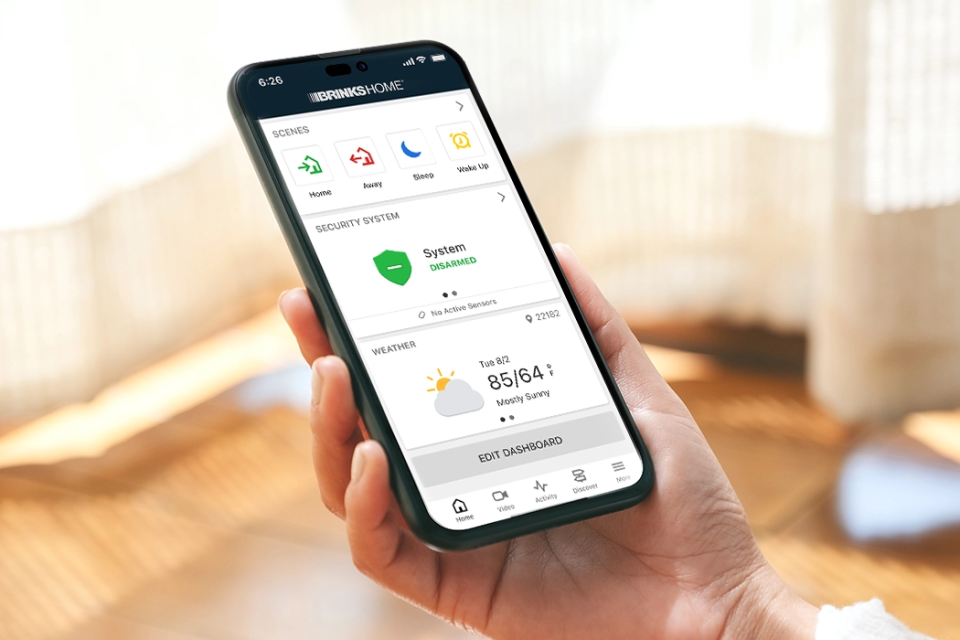
- Mobile Apps:Use apps to get instant alerts.
Pick the method that suits you best. This ensures you never miss an important alert.
Regular Maintenance Checks
Regular maintenance checks ensure your home backup system runs smoothly. Remote monitoring tools help track performance and identify issues. Stay informed with alerts to maintain optimal efficiency.
Routine System Tests
Performing routine system testsis very important. These tests help ensure that your backup system works. Make sure to check all parts of the system. Look for any signs of wear or damage. Test the connections to make sure they are secure. If you find any problems, fix them right away.
Updating Software
Keeping your software updated is key. New updates fix bugs and improve security. Set your system to update automatically if possible. This ensures you always have the latest features. Check the manufacturer’s website for any updates you might have missed. Updating regularly keeps your system running smoothly.
Credit: brinkshome.com
Troubleshooting Common Issues
Monitoring a home backup system remotely can help prevent data loss and system failures. Use secure software to track system performance and receive alerts. Regularly check connectivity to ensure seamless operation.
Identifying Problems
Backup systems can have issues. Problems might be connection failuresor hardware glitches. Sometimes, software errors occur. Check cables and connections first. Ensure all devices are powered on. Look for warning lights or error messages. Use diagnostic tools if available.
Solutions And Fixes
Try restarting the system. This often solves many issues. Update software regularly. This helps prevent bugs. Check for any loose cables. Secure them properly. If the problem persists, consult the manual. Follow troubleshooting steps carefully. Contact support for further help. They can provide guidance.
Expert Recommendations
Expert recommendations suggest using smart apps and sensors to monitor your home backup system remotely. These tools offer real-time updates, ensuring your system functions smoothly even when you’re away.
Best Practices
Use a reliable monitoring systemfor your backup. Check connections regularly. Make sure your system sends alerts. Test backup operations often. Keep software updated for better performance. Use secure passwords for remote access. Train family members on basic troubleshooting. Choose a trusted providerfor backup services. Always have a backup planready.
Avoiding Common Pitfalls
Avoid neglecting system updates. Do not ignore warning alerts. Avoid complex systems for easy use. Ensure connection stability. Do not use weak passwords. Avoid using outdated software. Keep your system free from unauthorized access. Do not forget regular maintenance. Monitor your system health often. Avoid skipping backup tests. Keep your system free of clutter. Manage storage wisely to prevent overload.

Credit: www.amazon.com
Frequently Asked Questions
How To Monitor A House Remotely?
Use smart security cameras with mobile apps to monitor your house remotely. Install motion sensors for alerts. Consider smart locks and doorbell cameras. Set up remote access to control lights and thermostats. Utilize a reliable internet connection for real-time monitoring.
What Does Generac Mobile Link Monitor?
Generac Mobile Link monitors generator status, battery level, maintenance alerts, and provides real-time updates. It offers remote access via smartphone or computer, ensuring optimal performance. Users can receive notifications for low fuel, power outages, and exercise cycles, enhancing generator reliability and efficiency.
Is Mobile Link For Generac Free?
Mobile Link for Generac offers both free and subscription-based plans. The free option provides basic features. For advanced monitoring and alerts, a paid subscription is required. Check their official website for the latest details on pricing and features.
How To Monitor A Water Pump?
Monitor a water pump by checking pressure levels, flow rates, and power consumption regularly. Inspect for unusual noises or vibrations. Use sensors for real-time data and alerts. Conduct routine maintenance checks to ensure efficiency and prevent breakdowns. Keep track of operational hours and performance metrics.
Conclusion
Monitoring your home backup system remotely is crucial. It enhances safety and peace of mind. Reliable apps and tools make this easy. Choose one that suits your needs. Ensure regular updates and maintenance. This keeps the system efficient. Understand alerts to act promptly.
Remote monitoring saves time and effort. It ensures your data stays protected. Stay connected, stay secure. With these steps, your backup system runs smoothly. Enjoy the confidence of knowing your home is safe. Keep your data protected, no matter where you are.