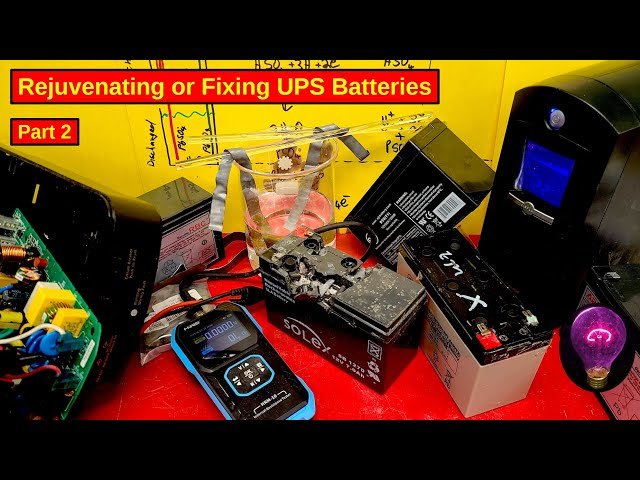
Your UPS system is your safety net, protecting your devices from unexpected power outages. But what happens when the battery starts acting up?
You might be left wondering if it’s time for a replacement. Understanding the signs of a failing UPS battery can save you from costly interruptions and keep your equipment running smoothly. Imagine working on an important project or enjoying your favorite online game, and suddenly everything goes dark.
It’s frustrating, right? By knowing how to identify a bad UPS battery, you can prevent these unexpected disruptions. You’ll feel more confident in your setup and ensure that your devices are always ready for action. You’ll discover clear, simple steps to check the health of your UPS battery. With this knowledge, you’ll be able to maintain your system effectively and avoid the stress of sudden power losses. Let’s dive in and make sure your UPS is always in top shape!
Signs Of A Failing Ups Battery
Strange sounds can mean trouble. Buzzing or humming is not normal. These noises show battery issues. Listen carefully. Compare with normal sounds. Be alert to changes.
Long charging time signals problems. Batteries should charge quickly. Slow charging means battery weakness. Check the charging speed often. Slow means it’s time for a check.
Battery loses power too fast. Quick discharge means it can’t hold a charge. Watch how long it lasts. If it drains quickly, the battery might be bad.
Visual Inspection Techniques
Inspecting the UPS battery involves checking for visible signs of damage. Look for swelling or leaks on the battery casing. Corrosion around the terminals also indicates a bad battery.
Check For Physical Damage
Look closely at the UPS battery. See if there are any cracks or bulges. These can be signs of damage. Damaged batteries are not safe to use. Always handle them with care. If you see damage, replace the battery.
Inspect Battery Terminals
Check the battery terminals for rust or corrosion. These can stop the battery from working well. Clean terminals with a soft cloth if needed. Be gentle to avoid any further damage. Corroded terminals need special attention.
Look For Leakage
Leaking batteries can be dangerous. Look for any liquid around the battery. This liquid might be acid. Acid can harm skin and other parts of the UPS. If you find leakage, do not touch the liquid. Replace the battery immediately for safety.
Performance Testing Methods
Load testing helps check if a battery can hold a charge. A device is used to apply a specific load to the battery. The battery should keep its voltage stable during this test. If the voltage drops quickly, the battery might be bad. This test shows how strong the battery is under pressure. Always follow safety rules during testing.
Voltage measurement helps know the battery’s health. Use a voltmeter to check the battery’s voltage. The voltage should be at a normal level. Low voltage means the battery is weak. High voltage can mean overcharging. Regular checks help catch problems early. Keeping a log of voltage readings is a good idea.
Checking capacity shows how much energy the battery can store. Charge the battery fully, then use it until empty. Measure how long the battery lasts. Compare this time to the expected time. Shorter time means the battery is not storing enough energy. This test helps plan battery replacements.

Credit: www.reddit.com
Using Battery Monitoring Software
Battery monitoring software can quickly identify issues with a UPS battery. It tracks performance and highlights irregularities, helping you spot a bad battery. Regular checks ensure your UPS functions properly, preventing unexpected power failures.
Real-time Monitoring
Battery monitoring software shows the battery’s health instantly. It checks the battery’s temperature and voltage. Any unusual changes might mean the battery is bad. Real-time data helps you act fast to avoid problems. Keep an eye on these readings regularly.
Diagnostic Alerts
Software sends alerts if something is wrong. These alerts help you know if the battery is failing. Warnings appear for high temperature or low charge. Get these alerts on your computer or phone. They are like a friend warning you of danger.
Historical Data Analysis
Look at past data to see patterns. Software stores old data for you. Check how the battery performed over time. Changes in patterns can tell if the battery is going bad. This analysis helps in planning replacements early.
Steps To Replace A Bad Ups Battery
Check for warning lights or unusual noises from your UPS. Inspect the battery for swelling or leaks. Replace if the charge doesn’t last long.
Safety Precautions
Always turn off and unplug the UPS. Wear rubber gloves for protection. Ensure the area is dry and clean. Use a flashlight if the area is dark. Keep children and pets away during the process.
Choosing The Right Replacement
Check the model numberon the old battery. Buy a new battery with the same specifications. Ensure it’s a genuine and compatible brand. Ask a store expert if unsure. Confirm it’s in good condition before purchase.
Installation Process
- Open the battery compartment using a screwdriver.
- Carefully remove the old battery.
- Place the new battery in the same spot.
- Secure it properly with screws.
- Close the compartment and plug in the UPS.

Credit: www.youtube.com
Preventive Measures For Battery Longevity
Identifying a bad UPS battery is crucial for preventive care. Look for warning signs like frequent beeping or reduced backup time. Regular checks and timely replacements help maintain battery health and longevity.
Regular Maintenance
Ensure batteries are clean and free from dust. Inspect them regularly for any signs of damage. Tighten all connections properly to prevent power loss. Check the battery voltage levels often. Replace faulty batteries before they affect others.
Optimal Storage Conditions
Store batteries in a cool, dry place. Avoid direct sunlight exposure. Ensure the storage area is ventilated. Keep batteries away from heat sources. Maintain an ideal temperature of 20-25°C. Avoid storing batteries in humid areas.
Avoiding Overloading
Do not connect too many devices to a single battery. Calculate the total power load beforehand. Ensure the battery’s capacity matches the devices’ requirements. Overloading shortens battery life. Use power strips with built-in overload protection. Regularly monitor the battery’s performance.

Credit: www.reddit.com
Frequently Asked Questions
How To Tell If Ups Battery Needs Replacing?
Check for frequent power interruptions or reduced backup time. Listen for unusual noises. Inspect for swelling or leaks. Test with a multimeter for voltage drops. Replace if the battery age exceeds three years.
How To Test If Ups Battery Is Bad?
Check the UPS battery by unplugging the unit and observing if it powers the devices. Use a multimeter to measure voltage. Low voltage indicates a bad battery. Perform a load test with a battery tester to ensure the battery can sustain power.
Regular testing ensures reliability.
What Happens When An Ups Battery Fails?
A failed UPS battery can lead to power loss during outages. The system may shut down abruptly, risking data loss and hardware damage. Regular maintenance and timely battery replacement ensure reliable power backup.
How To Check If Ups Battery Is Good Without Multimeter?
Perform a visual inspection for leaks or bulges in the UPS battery. Listen for unusual noises and check if the UPS provides consistent power during outages. Ensure the battery’s age is within its lifespan, generally 3-5 years.
Conclusion
Recognizing a bad UPS battery is crucial for device safety. Check for warning signs like slow charging and frequent alerts. Listen for unusual noises. Regular maintenance can prevent sudden failures. Replace old batteries promptly. This ensures reliable power backup. Understand the battery’s lifespan to anticipate replacements.
Keep an eye on performance changes. Early detection saves money and time. It also protects your electronics. So, stay vigilant. Your devices depend on it. A little attention goes a long way. Stay prepared for any power interruptions. This keeps your tech running smoothly and efficiently.